Your voice deserves a studio. Here’s how AI actually creates a studio for you.
Use Adobe Podcast and Descript to get studio-quality audio fast. This proven guide covers 7 AI tools, step-by-step workflows, and expert tips for podcasters.
Let’s start with reality (not fantasy)
Imagine this.
You just recorded your best episode. The conversation flowed. The guest spoke. You were sharp.
But the audio?
- AC’s voice went halfway
- Your mic spacing was inconsistent
- You didn’t notice the background hum while recording
- And yes… you said “um” a lot
Ten years ago, that episode was a landmark Unused.
Five years ago, you would have spent hours fixing it manually.
Today? You upload it, click a button, and it looks like you recorded in a professional booth.
That’s not the hype. AI audio tools actually do that now.
And if you are still ignoring them, you are choosing to be left behind.
Table of Contents
Why AI Audio Isn’t “Cool Tech” – It’s a Competitive Requirement
Let’s Cut the Noise.
Podcasting in 2026 is brutally competitive.
- Millions of active podcasts
- Millions of listeners worldwide
- And an audience with zero patience for bad audio
Here’s the part people don’t want to admit:
Good content is no longer enough.
If your audio sounds amateurish, people will leave – even if your ideas are strong.
It’s not fair. But it’s real.
The Shift That Matters
AI audio wasn’t adopted – it grew.
- AI-assisted audio workflows grow by ~45% (2023 → 2025)
- Millions of files processed by enhancement tools
- Massive adoption among creators alone – not in studios
That last point is important.
This is not enterprise tech.
This is you alone, with a laptop, suddenly feeling like a professional.
Why AI Audio Works So Well (Simple, Not Technical)
Here’s the honest reason it works:
Human speech is predictable.
Your voice operates in a known frequency range.
AI doesn’t “guess” what looks good. It:
- Identifies sound patterns (AC, hum, echo)
- Separates voice frequencies from the background
- Suppresses everything that is not relevant
That’s why the results seem almost unfair.
It’s not magic. It’s pattern recognition on a scale.
The Hard Truth
AI won’t fix a garbage recording.
If your audio is clipping (distorted peaks), it is permanently damaged.
No tool on the market fixes it properly.
So don’t be lazy:
- Record at the right level (-12 dB peak)
- Be consistent with mic distance
- Reduce the obvious noise before recording
AI is high. It does not resurrect.
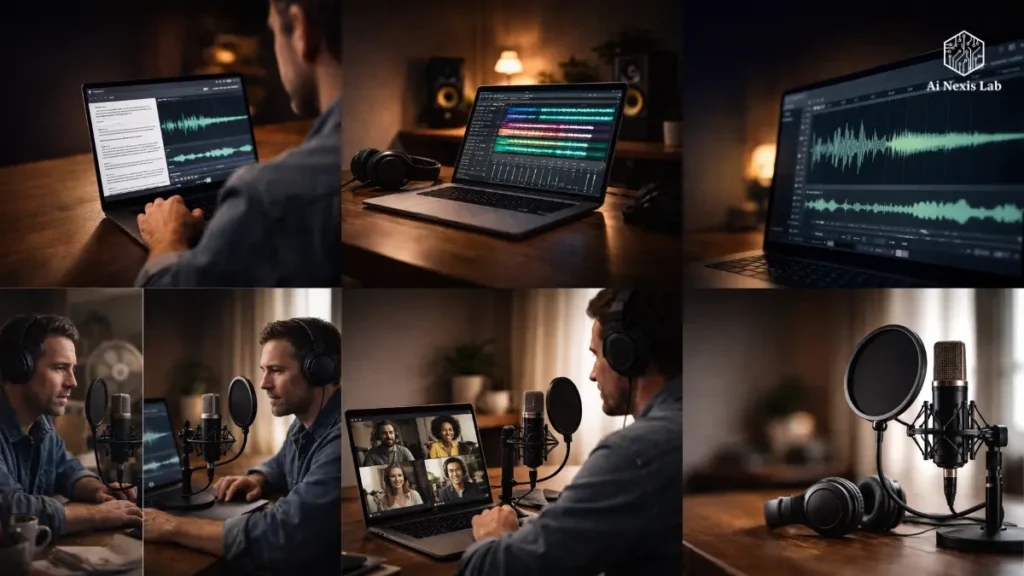
Adobe Podcast: The “Fix It Fast” Weapon
This is your front-end tool.
You don’t need to install anything. Open the browser, upload the audio, done.
Speech Enhancement: The Feature That Changes Everything
Let’s not overcomplicate it.
You upload the audio → click Enhance → wait → download.
That’s it.
What it does:
- Removes background noise
- Reduces echo and room reverb
- Cleans up distortion artifacts
- Brings your voice to the fore
Real-World Example
Bad recording scenario:
- Guest in a hotel room
- Echo-heavy environment
- HVAC noise
- Slight mic distance issues
After enhancement?
It sounds like:
- Mic off
- Controlled room
- Clean signal
That’s not an exaggeration. It’s basic now.
Most People Make a Serious Mistake
They use maximum enhancement.
Don’t.
This is how you get:
- Robotic sound
- Excessive compression
- Loss of natural tone
Use ~60–70% enhancement.
If your audio is already good, go even lower.
Studio (Recording + Editing Within The Browser)
Adobe didn’t stop at the enhancements.
You can:
- Record directly in the browser
- Invite guests via link
- Capture local audio (better than Zoom compression)
- Apply instant enhancements
This is huge for beginners.
No setup. No confusion. No excuses.
Mic Check (Underrated Feature)
Before recording, it:
- Assess your room
- Checks mic positioning
- Flags problems
This is the smartest 5 minutes you’ll ever spend.
Because fixing problems before recording is always cheaper than fixing them later.
AI Soundtrack + Voice Generation
Two new additions:
1. Generate Soundtrack
- Quickly create royalty-free music
- Choose mood, tempo, tone
- No copyright headaches
2. AI Voiceover
- Generate voice from text
- Useful for:
1) Review missing sponsors
2) Corrections
3) Insert
But don’t overuse it.
People can tell when it’s become too much.
Description: Where The Real Editing Happens
Adobe improves your audio.
Description turns it into a finished product.
Core Idea: Edit Audio Like a Document
This changes everything.
Instead of scrubbing waveforms, you can:
- Read transcript
- Highlight text
- Delete → audio disappears
Would you like to move a segment?
Cut text → Paste → Done.
If you are still manually editing waveforms, you are wasting time.
Filler Word Removal (This Is The Only One That Is Correct)
Click a button.
He removes:
- um
- uh
- like
- you know
Throughout the entire episode.
Reality Check
Accuracy: ~90–95%
It’s not perfect.
But reviewing takes minutes – not hours.
Studio Sound (Narration Enhancement)
Same category as Adobe Enhancement.
Difference:
- A little less aggressive
- More integrated into the workflow
If your audio is moderately clean → this is enough.
If your audio is rough → Adobe wins.
Overdub (Voice Cloning)
Let’s be clear.
This is not for full voice generation.
It is to correct errors.
Real Use Case
You recorded:
- Wrong numbers
- Wrong name
- Bad sentence
Instead of re-recording:
- Typo correction
- Generate audio in your voice
- Change it
Limitations
- Requires training (24-48 hours)
- Best for short edits
- Long paragraphs mute
Use it surgically, not creatively.
Underlord (AI Co-Editor)
This is where the description saves you serious time.
It can:
- Generate show notes
- Create timestamps
- Suggest clips
- Write descriptions
The Brutal Truth
It won’t change your mind.
It gives you a draft.
You still need to:
- Improving the tone
- Add context
- Insert personality
If you publish raw AI output, it shows.
Adobe Podcasts vs Narration (No Marketing Spin)
Use Adobe When:
- Your audio is messy
- You need a quick cleanup
- You are recording remotely
- You need music
Use Narration When:
- You are editing an entire episode
- You need speed
- You hate waveform editing
- You are constantly creating content
Smart Move?
Use both.
They are not competitors.
They are on stage.
The Only Workflow That Really Makes Sense
Stop trying random setups.
Use this.
1. Pre-Recording: Fix Your Setup
Run a mic check.
Adjust:
- Mic Distance
- Background Noise
- Room Reflections
2. Record (Locally If Possible)
Use:
- Adobe Studio or
- Narration Room
Local recording = better quality.
3. Audio Enhancement (Adobe)
Play each track at ~65%.
This handles:
- Noise
- Echo
- Basic leveling
4. Import Into The Description
Now you have:
- Clean audio
- Accurate transcript
The best possible starting point.
5. Remove Filler Words + Silence
Set Silence Trim to ~0.4 seconds.
This tightens the motion without making an unnatural sound.
6. Edit Structure Through Text
Cut:
- Tangents
- Repeat
- Weak sections
Move:
- Strong moments before
7. Generate Show Notes (Underlord)
Review.
Rewrite the main sections.
Add your voice.
8. Add Music (Adobe)
Generate Intro/Outro.
Keep it consistent in the post.
9. Publish
Export and distribute.
Done.
6 Problems Every Podcaster Faces (and How to Fix Them)
1. Background Noise
→ Adobe Enhance Speech
2. Too Many “Um’s”
→ Removing Discrete Filler
3. Uneven Volume
→ Combine Both Tools
4. Recording Errors
→ Discrete Overdub
5. Showing Notes Takes Forever
→ Underlord
6. Music Licensing Headaches
→ Adobe Soundtrack
Where This Is Going (Next 12-24 Months)
This is Just the Beginning.
1. Real-Time Enhancement
No More Post-Processing
You’ll Feel Polished While Recording.
2. Fully Automated Clip Creation
AI won’t just find clean segments.
It will understand narrative value.
3. Voice Translation
Record once.
Publish in multiple languages.
Same voice.
Bigger Shift
Technical skills are becoming irrelevant.
You’ll have:
- Thoughts
- Perspective
- Delivery
Not editing skills.
Pricing (No Sugarcoating)
Adobe Podcasts
- Free tier: Limited but useful
- Paid: ~$10/month
Description
- Free: Trial only
- Producer plan: ~$35/month
Combined cost: ~$45/month
Compare that to:
- $50–$100 per episode editor
If you publish regularly, this is a no-brainer.
Frequently Asked Questions
Is Adobe Podcast enough on its own?
No – if you’re serious.
It’s great for cleaning up audio, but poor for full editing.
If you just want quick fixes, that’s fine.
If you’re making a real show, you’ll quickly run out of limits.
Does Descript really replace traditional editing?
Yes – for most creators.
Unless you’re doing high-end sound design, there’s no reason to stay in waveform editors.
It’s faster, more intuitive, and scalable.
The only downside: a bit of a learning curve at first.
Will AI fake my podcast?
Only if you abuse it.
Over-processing = robotic sound.
Keep enhancement moderate.
Trust your ears, not the slider.
Can I abandon good recording practices now?
No.
This is where people get lazy and pay for it.
Bad input = limited output.
AI improves quality – it doesn’t improve stupidity.
Is it safe to rely on overdubs?
For small improvements, yes.
For complete content? No.
If you try to fake large parts, that sound will stop.
Use it not like a hammer, but like a scalpel.
Are AI-generated show notes good enough to publish?
Not without editing.
Those are solid drafts.
But it lacks:
Voice
Purpose
Strategy
Spend 5-10 minutes refining.
It still saves a lot of time.
Final Verdict (No Excuses Left)
Let’s be honest.
For years, there was a valid excuse for bad audio:
- Expensive equipment
- Technical complexity
- Editing skills
That excuse is gone.
What You Have Now
- Studio-level enhancement in one click
- Document-like editing
- Automatic cleanup
- AI-assisted publishing
Everything accessible from your laptop.
What It Means
If your podcast sounds bad today, it’s not a resource problem.
It is a decision problem.
Bottom Line
- Adobe Podcast = Your Cleaning Engine
- Description = Your Production System
Together, they eliminate 90% of friction.
The Only Question That Matters
Are you going to use it properly…
Or continue to do things the slow, old way?
Because at this point, it’s a choice – not a limitation.