Stop Flashing Your Plastic: A 2026 Guide to Budgeting Apps That Actually Track Spending While You Sleep
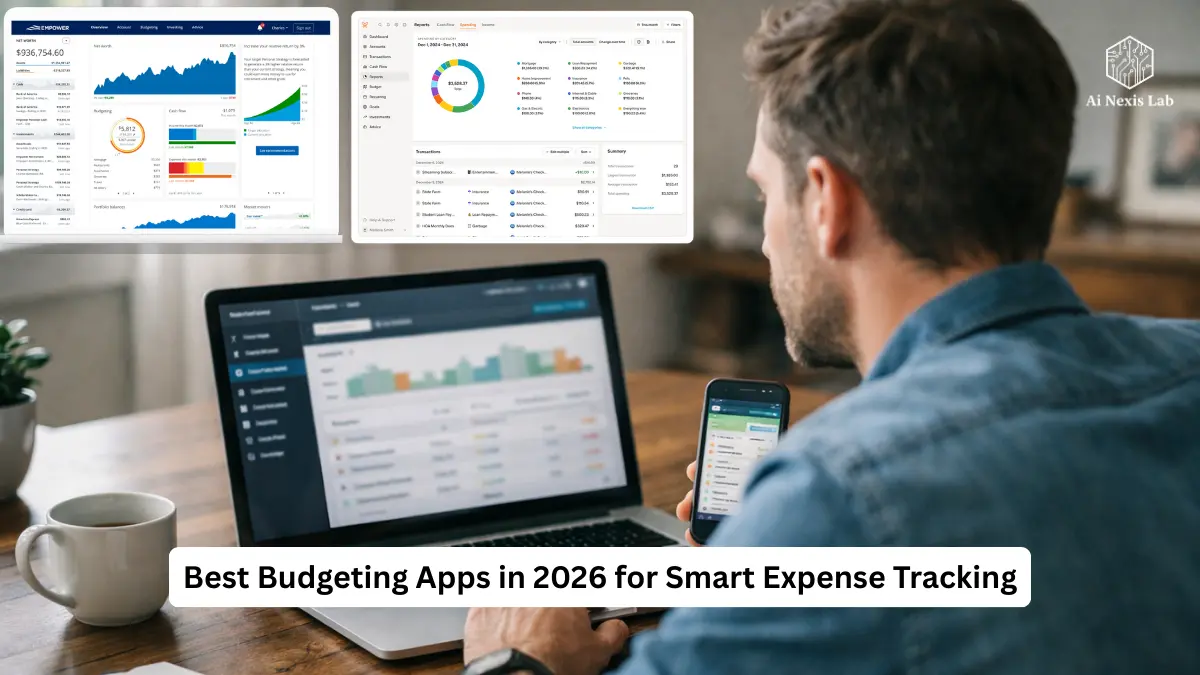
5 best budgeting apps for 2026 with automatic expense tracking, smart insights, and real AI-powered features that make managing money a headache-free experience.
Let’s put an end to fantasy.
You don’t have to manually track every coffee, every Uber, every random Amazon charge. You’re not going to maintain an entire spreadsheet. You don’t have to save every receipt.
If your financial system relies on motivation, it’s doomed to fail.
What you need is automation. Real automation. Works when you’re tired, busy, distracted, or just not in the mood to “be responsible.”
This is your 2026 no-BS guide to budgeting apps that actually work – no theory, no hype, no marketing promises. I’m going to break down what’s real, what’s fluff, and which tool fits your personality.
If you want to keep guessing where your money goes, stop reading.
If you want control without turning budgeting into another chore, let’s get into it.
Table of Contents
Spreadsheets Are Dead (And You Know It)
Manual budgeting fails for one reason: humans are inconsistent.
You forget:
- $7 parking meter.
- Auto-renewing software subscription.
- “Just this once” DoorDash order.
- An annual insurance premium that hits like a surprise punch.
And even if you track it perfectly for two weeks, life happens. You get busy. You fall. The system collapses.
Modern budgeting apps solve this with bank consolidation.
Most major apps use platforms like Plaid or Fincity to securely connect to your financial institutions. When you link accounts, transactions are automatically synced – usually within seconds or minutes of posting.
No manual entry. No excuses.
And here’s the real change in 2026:
AI-powered classification is significantly better than it was three years ago. Apps don’t just look at “Amazon.” They analyze merchant codes, transaction patterns, and historical behavior to intelligently classify. Many traders claim 90-98% accuracy based on consistency.
Does it still mess up sometimes? Yes.
But it’s light years ahead of the old “type everything yourself” model.
If you are still tracking manually in Excel, you are choosing friction. And friction kills consistency.
The Major Players (And Who They’re Really For)
Not all budgeting apps are built for the same brain. That’s why people leave.
Let’s break them down properly.
Monarch Money – Command Center for Adults
Monarch Money has positioned itself as the modern successor to the Mint (which closed in 2024). And honestly, he has earned that spot.
What it does well
- Tracks net worth across all accounts
- Syncs checking, savings, credit cards, loans
- Connects to investment accounts
- Allows goal planning
- Supports shared household access
It’s not just a budgeting app – it’s a financial dashboard.
The forecast feature is where Monarch sets itself apart. It projects future cash flows based on recurring income and expenses. It’s powerful because most people only look back.
Example:
You are planning to take a $2,000 vacation.
Monarch can show you how it affects your cash flow over the next 3-6 months if you change nothing else.
That’s adult-level money management.
Where it falls short
- It’s paid (no true free tier anymore)
- Not as behaviorally focused as YNAB
- Can be overwhelming if you’re new to budgeting
Best for:
People who want a full financial command center – not just expense tracking.

YNAB – The Discipline Builder
YNAB stands for “You Need Your Budget,” and yes, the name is offensive. It’s intentional.
This is zero-based budgeting. Whatever dollars you currently have are assigned a job.
If you have $2,000 in checking:
- $1,200 → Rent
- $300 → Groceries
- $150 → Utilities
- $200 → Savings
- $150 → Everything else
Your bank balance is now irrelevant. Category balances are what matter.
That shift reshapes your thinking.
What YNAB does better than anyone
Behavior change.
Research in behavioral finance consistently shows that deliberate allocation increases savings rates and reduces impulse spending. YNAB forces that habit.
Many long-term users report:
- Higher emergency fund levels
- Reduced credit card float
- More intentional spending
Reality
The learning curve is steep.
You will feel confused for the first few weeks. You might feel like “YNAB is broken” – meaning you technically have money but your categories say you can’t spend it.
This discomfort is the main issue.
Best for:
People who want not only cost visibility, but also a change in mindset.
Rocket Money – The Subscription Assassin
If you’re wasting money with forgotten subscriptions, this app is handy.
Rocket Money scans transactions for recurring charges.
Streaming services. Fitness apps. Software. Random trials you forgot about.
And yes – they offer a cancellation service where they try to cancel subscriptions or negotiate bills on your behalf (often for a fee or a percentage of savings).
Why this matters in 2026
The average American household now has multiple streaming services, subscription software, cloud storage, meal kits, and more. Subscription creep is real.
Canceling even two unused services for $15/month saves $360 per year.
That’s not a small thing.
Weaknesses
- Budget features are easy
- Premium features cost extra
- Bill negotiations not always guaranteed
Best for:
People who know they’re lazy about subscriptions and want a quick win.
Copilot Money – The cleanest UI in the game
Currently only for Apple (iOS and Mac).
Copilot feels like Apple made it.
Strengths
- Beautiful interface
- Smart transaction review system
- Robust recurring payment tracking
- Quick sorting
It creates a “to review” list so you don’t waste time scanning everything. You only approve or adjust transactions that require attention.
It is frictionless.
And frictionless systems stick.
Weaknesses
- No Android
- Paid subscription
- Less hardcore behavior enforcement than YNAB
Best for:
Busy professionals who value speed and clean design.
Empower – Investment Tracker (Free)
Personal Capital first.
Empower’s strength is its investment tracking.
It connects 401(k)s, IRAs, brokerage accounts, and offers allocation splitting. You can see if you are overweight in tech stocks or paying higher fund fees.
Budgeting exists – but it’s basic.
Why it’s still relevant
If you already have stable spending habits and want to focus on:
- Net worth growth
- Asset allocation
- Retirement projections
This tool makes sense.
Tradeoff
It’s free because they provide advisory services. That is their business model.
If that bothers you, use a paid app.
Security: Stop Panic, Start Understanding
Most major budgeting apps use OAuth-based connections.
You are redirected to your bank’s official login page. You authorize access. The app gets a token – not your password.
They can’t move money.
They only receive read-only transaction data.
Most used:
- 256-bit encryption
- Bank-level security protocols
- Two-factor authentication options
Is it zero risk? None.
But these apps use the same security layers as fintech banks and payment platforms.
If you use online banking, you are already operating in this ecosystem.
Why 40% of People Abandon Budgeting Apps
This is where people mess up.
1. They overcomplicate it
You don’t need:
- “Coffee”
- “Latte”
- “Cold Brew”
- “Iced Coffee”
Just use “Dining Out”.
Complexity kills compliance.
2. They stop checking it
Automation doesn’t mean abandonment.
Five minutes every week. That’s it.
If you can’t give your money five minutes a week, don’t complain about being broke.
3. They ignore cash
If you spend cash and don’t keep records of it, your figures will diverge from reality.
Once the statistics seem wrong, people give up.
Free vs. Paid – Let’s Be Honest
Free apps monetize through:
- Credit card offers
- Loan recommendations
- Financial product ads
Paid apps monetize through you.
This usually means:
- Fewer ads
- Fewer upsells
- More user-centric development
Are free apps useless? No.
But if you’re serious about financial clarity, it makes sense to pay $10-$15 per month for a decent tool.
You will waste more than that on impulsive spending.
Frequently Asked Questions
Q: Are budgeting apps really accurate?
A: It is only as accurate as your bank data. If your bank posts the transaction, the app receives it. The classification may sometimes be incorrect, but the total amount and balance are taken directly from your financial institutions.
Q: Can these apps track investments and crypto?
A: Many can. Monarch and Copilot integrate with brokerages. Empower specializes in investment tracking. Crypto integration depends on exchange compatibility and wallet type. Cold wallets may require manual input.
Q: Is my bank password stored?
A: With modern OAuth connections, no. You authenticate directly with your bank. The application obtains a token for read-only access. It does not store your password.
Q: What happens if my bank is not connected?
A: Most applications allow CSV import. You download transaction history from your bank and upload it. It’s manual, but efficient.
Q: Will budgeting apps help reduce debt?
A: Yes – if you use it. Visibility reduces blind spending. Zero-based systems like YNAB help you intentionally prioritize debt repayment. But the app won’t magically fix the behavior.
Q: Are paid apps worth it?
A: If you are losing $200–$400 per month due to reckless spending, then yes. The subscription cost is low compared to the potential savings. If you’re already very disciplined, then probably not.
Q: Can couples use these apps?
A: Monarch supports household sharing. YNAB allows shared budgets. Some applications offer limited collaboration at lower levels. Always check the price for multi-user access.
Q: Do I need multiple apps?
A: Usually no. A budget-focused app is enough. Some people combine Empower with a separate budgeting tool for investing, but that is optional.
Q: How often should I check the app?
A: At least once a week. Five minutes. Review categories, confirm transactions, make adjustments if necessary. If you wait every month, you are reacting too late.
Q: What is the biggest mistake beginners make?
A: They make the app act like magic. It’s a tool. You still need awareness. Automation removes friction – it doesn’t remove responsibility.
The Bottom Line
Stop pretending that you can manage your finances forever.
You can’t.
Choose the app that matches your personality:
- Want complete control and predictability? Monarch.
- Need behavior change and discipline? YNAB.
- Want to kill subscriptions quickly? Rocket Money.
- Want it clean and fast on Apple? Copilot.
- Want free investment tracking? Want Empower.
But don’t overanalyze for three weeks.
Pick one. Link an account. Review the last 30 days.
You don’t need perfection.
You need visibility.
Money ignored is money wasted.