The code editor you knew is dead: Why Cursor is winning the IDE war in 2026
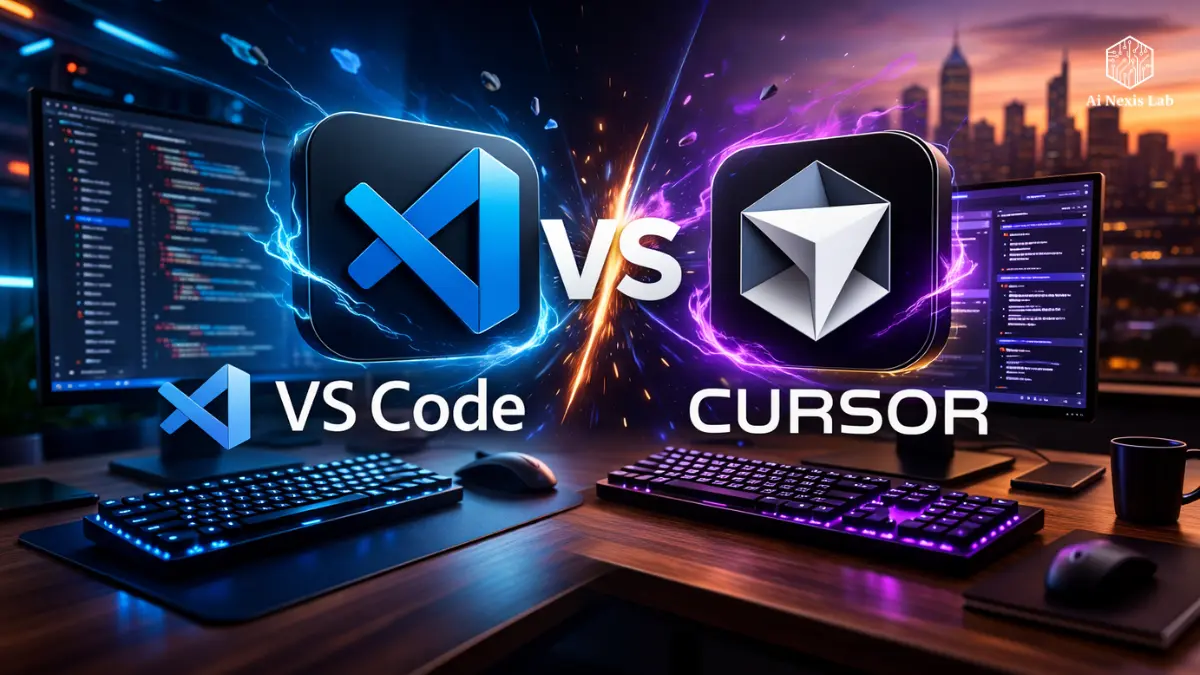
Explore Cursor vs VS Code with AI editor differences that matter in 2026. Deep insights for devs choosing the smartest IDE experience.
After six hours of React refactoring, your brain stops cooperating.
You have renamed two state variables. Something is broken in your reference provider. The UI is flickering. The console is screaming. You have 17 tabs open, two half-read GitHub issues, and a Stack Overflow answer from 2019 that may or may not apply now.
And your IDE?
It’s just sitting there. Coloring your syntax. Offering autocomplete like 2018.
That’s a wall.
For over a decade, VS Code has been a safe, robust choice. It’s fast. It’s extensible. It’s free. It’s everywhere. As of 2026, it still has a huge market share globally, and Microsoft’s integration ecosystem is deep.
But here’s the uncomfortable truth:
The old mental model of IDEs is outdated.
The change is not incremental. It is structural. Developers are no longer just adding AI plugins. They are replacing their editor with a completely AI-native environment.
And that change is being led by Cursor.
This isn’t hype. It’s workflow physics. Once you move from “AI as a tool” to “AI as part of the environment,” you won’t go back.
Let’s find out exactly why.
Table of Contents
1. The Fork That Changed Everything: What Cursor Actually Is
Cursor is not a bad toy editor.
It is a fork of the open-source core of VS Code. That decision is important.
Familiar Outside, Radical Inside
When you first open Cursor:
- Your keybindings work.
- Your themes import.
- Your extensions sync.
- Your workspace feels normal.
No retraining. No weird muscle memory reset. No “new ecosystem tax.”
That’s intentional. The team didn’t try to reinvent the interface. They replaced the brain.
And that brain is built around AI from the beginning.
Not as a plugin.
Not as a sidebar.
Not as a chat window bolted to the side.
It’s embedded in the editing experience itself.
2. The Real Differentiator: Codebase Indexing
This is where most developers underestimate the difference.
Traditional AI coding assistants (including GitHub Copilot in GitHub under Microsoft) mostly work in-file.
They see:
- The current buffer
- A bit of surrounding context
- Maybe recently opened files
The cursor does something different.
It Indexes Your Entire Codebase
The cursor creates a vectorized representation of your entire project.
That means:
- It understands the relationships between files.
- He sees how the components connect.
- It recognizes naming conventions in directories.
- It can search not only textually, but also semantically.
When you ask:
“Why does user authentication fail after login?”
It doesn’t guess from the open file.
It traces:
- Auth Hook
- API Level
- Token Utility
- Middleware
- Configuration
It is not autocomplete. It is architectural awareness.

3. Composer: A Feature That Makes Copilot Feel Outdated
Autocomplete is fine.
Composer is something else entirely.
What Copilot Does
Copilot predicts lines.
It ends with:
const user = await fetch…It’s useful. But it is reactive. It waits until you start typing.
What Composer Does
Composer (Cmd+I) lets you give high-level instructions like:
“Add dark mode using Tailwind, persist it to local storage, update navbar and settings page.”
And it will:
- Open multiple related files.
- Insert new context providers.
- Modify components.
- Update styles.
- Show differences in real time.
You review.
You accept or reject.
You commit.
That’s multi-file orchestration.
And this is where most VS Code + Copilot users start to feel the gap.
You are not typing fast anymore.
You are rapidly restructuring systems.
4. Context Is King: Solving The “Stochastic Inference” Problem
One of the biggest frustrations with AI coding tools during 2023-2025 was illusion.
Outdated APIs.
Incorrect imports.
Invented methods.
Why?
Because the model lacked context.
Cursors attack this directly.
@Symbol System
Cursor introduced contextual targeting:
- @Files – Focus on specific files.
- @Codebase – Search across repos in a meaningful way.
- @Docs – Pull documentation instantly from a URL.
Let’s say a new version of Next.js is dropped.
Instead of waiting for AI models to “learn” it, you:
@Docs https://nextjs.org/docs/appNow the model is grounded in the latest documentation.
It significantly reduces the illusions.
You stop copy-pasting errors in the browser ChatGPT.
You stop context-switching.
You stop running the “error → paste → retry” loop.
5. Alt-Tab Tax Is Real
Flow status is fragile.
Every time you:
- Switch to a browser
- Scroll through the documentation
- Open a chat window
- Return to your file
You lose cognitive continuity.
Multiply that by 80+ micro-switches per day.
That’s mental leakage.
Keeps the Cursor AI inline.
Highlight code → Cmd+K → “Refactor this to use the Reducer pattern.”
It edits directly where you are looking.
The result?
Less fragmentation.
Less fatigue.
More continuous deep work.
6. Copilot++: Predicting Edits, Not Just Words
It’s subtle, but it’s huge.
Predicts traditional autocomplete tokens.
Copilot++ predicts intent patterns.
Example:
You rename:
user → customerAs you scroll, it highlights other examples and suggests aligned edits.
You press Tab.
They change.
It recognizes change patterns.
It’s not predicting the next word.
It is modeling your refactor logic.
It feels borderline mental.
7. Performance and Privacy: Hard Questions
Let’s be clear.
If you work in a startup or enterprise:
You are concerned about code leakage.
Privacy Mode
Cursor offers a strict privacy mode where:
- No code is stored.
- Data is not used to train future models.
- Prompts are not retained.
For many companies, it’s the difference between “blocked” and “allowed.”
Hybrid Model Strategy
Cursor uses:
- Cloud LLMs (GPT-4-class, cloud-class models)
- Small local models for low-latency autocomplete
This hybrid approach reduces lag and cost.
You get quick inline suggestions without having to hit every keystroke on a remote server.
8. Cost-Benefit Reality Check
Cursor Pro runs about $20/month in 2026.
It’s not free.
Now let’s do some simple math.
If it saves:
- 15 minutes per day → ~5 hours per month
- Your time is worth $50/hour → $250
Even at the junior rate, it pays for itself.
If it saves two hours per week?
It’s not even close.
The only scenario where it makes no sense:
You code casually once a week.
What if you produce professionally?
The ROI is clear.
9. Why Some Developers Fail with Cursors
Let’s get upset.
Cursors are not magic.
They enhance skills.
If you:
- Don’t read diffs
- Don’t understand architecture
- Accept changes blindly
You’ll end up generating AI spaghetti.
The Over-Reliance Trap
Junior developers sometimes let Composer generate 200 lines.
Then something breaks.
They don’t know why.
That’s on you.
Cursors are interns with superpowers.
You are still an architect.
Diff Discipline Rule
Each change shows:
- Green (added)
- Red (removed)
Read it.
AI sometimes changes utility functions in subtle ways.
It can make a ripple in your application.
Professional developers test.
Amateurs embrace.
10. The Shift From Syntax-First to Intent-First Development
This is the real revolution.
Old model:
I know React syntax. I manually build UI.
New model:
I know system design. I express intent. AI handles the boilerplate.
By 2026, the most productive engineers won’t be the fastest typists.
They are the clearest thinkers.
The value changes to:
- Architecture
- Constraints
- Trade-offs
- System Clarity
Speeds up cursor construction.
It doesn’t change the logic.
11. Is This The End of Coding?
No.
But that’s the end of manual boilerplate dominance.
You can still:
- Debug edge cases.
- Make architectural decisions.
- Optimize performance.
- Handle security.
But you will not:
- Manually scaffold CRUD endpoints.
- Handwrite recursive reducers.
- Refactor trivial naming patterns sentence by sentence.
The ceiling goes up.
A developer can now execute like a small team.
That’s leverage.
Frequently Asked Questions
Can I use my own API key in Cursor?
Yes. Cursor allows you to plug in your own OpenAI or Anthropic API key instead of using their bundled subscription model.
If you are a light user and only occasionally trigger large prompts, this may be cheaper. However, if you are running Composer on multiple files every day, usage-based billing can quickly exceed the cost of the Flat Pro subscription.
For most professional developers who create every day, the subscription model provides predictable pricing and better value.
Does the cursor support VS Code extensions?
Almost all extensions built for the open-source base of VS Code work within Cursor.
Because it is a fork of the same core architecture, the compatibility level is extremely high. Themes, formatters, linters, Docker integration, Git tools – it works the same way.
The difference is not in ecosystem support. The difference is how deeply AI is integrated into the editing workflow.
Is Cursor really better than GitHub Copilot?
For single-line completion, it is comparable. Both rely on frontier language models.
Where the cursor moves forward is multi-file reasoning and full codebase awareness. Composer, inline refactors, and context detection in repos create a structural advantage.
If your work is mostly isolated file edits, Copilot is good. If you work on interconnected systems, cursors are significantly more powerful.
What languages does the cursor handle best?
Anything supported by VS Code works here.
In practice, performance is strongest in high-volume training languages like TypeScript, Python, Go, C++, and Java.
The AI models behind Cursor have deep exposure to modern web stacks, backend frameworks, and DevOps tooling. Ambiguous DSLs may require more specific prompting.
Is my code used to train their models?
Not if you enable Privacy Mode.
Cursor has prioritized enterprise security because without it, companies simply wouldn’t adopt this tool.
If you are in a controlled environment, you should still confirm compliance policies internally – but for most startups and development shops, the controls are sufficient.
Final Verdict: Should You Switch?
If you’re writing toy projects once a month, stay where you are.
What if you are shipping production code, maintaining legacy systems, or building startups?
You are wasting time with an inactive editor.
The cursor is not about fast typing.
It’s about thinking at a higher level.
Once you experience:
- Multi-file AI orchestration
- Codebase-level awareness
- Inline intent-driven edits
Going back to a traditional editor feels primitive.
The IDE you knew is not evolving.
It is being changed.
The only real question is whether you switch now – or after everyone else does.