Adobe Firefly finally listens to you – custom models, 30+ AI engines, and the end of generic AI art

Adobe Firefly Custom Models transform AI design with 30+ models, custom training, and pro workflows. Discover 10 powerful changes shaping creative work in 2026.
“Why does every AI image seem to come out of the same humble machine?”
That question was annoyingly accurate at first. If you’ve actually used AI for real work – not just messing around with prompts – you already know the problem. AI can create something impressive… once. Maybe twice. But the moment you needed consistency, identity, or scale, everything fell apart.
Adobe is trying to close this gap with Firefly’s 2026 updates. And for once, this isn’t just marketing noise. It’s a serious attempt to improve something that has held AI back from becoming a true professional tool.
Let’s break it down properly – no hype, no fluff, just what really matters.
Table of Contents
The Relevance Crisis: Why General AI Art Has Always Been a Problem
Before we talk about what’s new, let’s be clear about what’s broken.
AI image tools have always been great at impressing people who don’t use them professionally. That is an uncomfortable truth.
You write a prompt → you find something visually appealing → you think it’s magic.
But try to do real work:
- 200 product images
- 60 character poses
- 40 illustrations in the same style
- Global campaigns in formats
Everything breaks down there.
Core Issue: Stateless Generation
Most AI systems were built around one-time output. Every generation is different. There is no memory, no continuity, no shared visual DNA.
So what happens?
- Same prompt → slightly different result every time
- Same character → different facial structure
- Same brand → inconsistent color tone
- Same scene → different lighting logic
It’s not a creative tool. It’s a slot machine.
Why This Really Matters (Not Just In Theory)
If you:
- Brand team → You need consistency across campaigns
- Illustrator → Your style is your value
- Agency → Clients expect predictable output
- Content team → Scale is more important than innovation
AI wasn’t failing because it couldn’t create good images.
It was failing because it couldn’t produce good images repeatedly.
That’s a completely different problem.
What Firefly Custom Models Really Are (No Marketing Spin)
Let’s put this into reality.
The Firefly custom model is basically:
A version of AI specifically trained on your task, not on the internet.
You upload your own images. The system analyzes:
- Color patterns
- Line weights
- Composition habits
- Lighting behavior
- Texture style
- Character proportions
Then it creates a private model that generates new content in the same visual language.
Why Is This Different From Style Prompts?
Most tools create fake styles by referencing images. That’s surface-level.
Custom models do something profound:
- They internalize patterns across multiple images
- They maintain consistency across generations
- They eliminate the need to reinterpret the style every time
Here’s the key change:
Instead of you adapting to AI, AI adapts for you.
It’s not a feature. It is a structural change.
Three Creative Categories Where Custom Models Shine
Let’s make it concrete with real scenarios:
1. Illustration Styles
If your work relies on:
- Consistent linework
- A controlled color palette
- A recognizable visual tone
Then this is a game changer.
Instead of fighting signals to “go closer,” you get output that already matches your baseline.
2. Character Design
This is where most AI tools completely fail.
Maintenance:
- Facial structure
- Body proportions
- Clothing details
- Consistency of expression
…across multiple images? Almost impossible before.
Custom models fix that – if trained properly.
3. Photographic Styles
Think about brand photography:
- Same lighting tones
- Same color grading
- Same mood
Instead of recreating that look every time, it’s baked into the model.
4. Enterprise Brand Scaling
This is where things get serious.
Companies aren’t using this for entertainment – they’re using it to:
- Maintain brand consistency globally
- Reduce creative turnaround time
- Standardize visual output
This isn’t about creativity. It’s about operational efficiency at scale.
Style-to-Scale Framework: How to Use Custom Models Strategically
Most people will abuse this. Sure.
Here’s how to actually use it.
1. Build your style library first
Don’t throw away your entire portfolio.
That’s lazy thinking.
Instead:
- Choose 30-80 highly relevant pieces
- Remove experimental work
- Remove client-forced deviation
You are not training diversity. You are training identity.
2. Define the style parameters you care about most
If you can’t explain your style, the model won’t learn it well.
Ask yourself:
- What defines your lighting?
- How do you handle shadows?
- What is your color temperature?
- What is special about your creation?
If you don’t know, you’re guessing – and the model will reflect that.
3. Run a stress test before client work
Don’t trust the first results.
Generate:
- Portraits
- Landscapes
- Objects
- Abstract Scenes
If your style breaks down under variation, your dataset is weak.
Fix it before clients see it.
4. Use it for the idea, not the end result – though.
Right now, it’s foolish to consider this as an end-output tool.
Use it for:
- Concept generation
- Direction testing
- Composition discovery
Then refine manually or with editing tools.
5. Repeat training sets over time
Your style evolves.
If your model doesn’t evolve, it becomes outdated.
Treat it as a living asset – not a one-time setup.
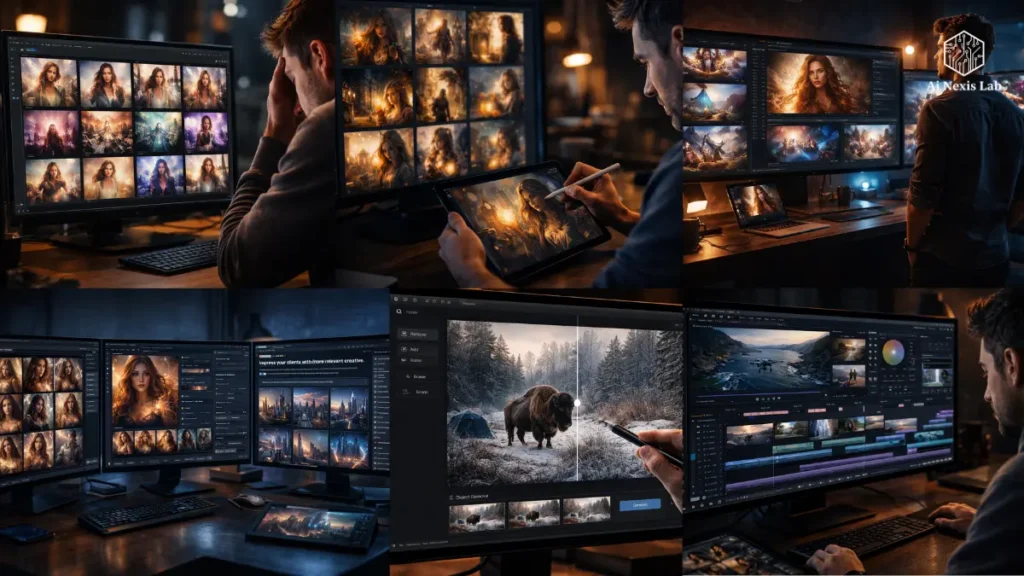
30+ Models in One Place: Why This Number Is More Than It Seems
On paper, “30+ models” sounds like a marketing statement.
That’s not the case.
Real Value: Workflow Consolidation
Before:
- Midjourney for visuals
- Runway for video
- Another tool for editing
- Another tool for refinement
That means:
- Different interfaces
- Different prompt logic
- Constant export/import
- Huge friction
Now:
- Generate → Compare → Refine → Edit
- All in one system
That’s a workflow benefit, not a feature benefit.
Reality Check
Not every model inside Firefly is the best at what it does.
Some external tools will still perform better at certain tasks.
But:
Integration in real workflows beats fragmentation.
Always.
Quick Cut, Image Editing, and Moving Towards Production-Ready Output
Most people ignore this truth:
AI output is rarely complete.
You get something that is:
- 80% true
- 20% false
The last 20% is a waste of time.
Quick Cut: Painless Video Editing
If you work with video, you know that the obstacle isn’t shooting – it’s editing.
Quick Cut Handles:
- Clip Selection
- Rough Sequencing
- Basic Structure
So instead of spending hours assembling, you’re refining.
This is a big change in how time is used.
Advanced Image Editing: Fixing the Last 20%
Instead of:
- Exporting to Photoshop
- Manually Masking
- Reconstructing Elements
You can just describe the change.
Example:
- “Remove background objects”
- “Warm up the lighting”
- “Fix hand position”
This is where AI really comes in handy.
Project Moonlight: The Conversational Interface That Changes Everything (Maybe)
This is Adobe’s most ambitious move yet – and also its most uncertain.
What It Is
A conversational interface that:
- Understands your intent
- Performs tasks on tools
- Maintains creative context
Basically:
You describe → it creates
Why This Matters
Right now, creative work still involves:
- Tool selection
- Workflow decisions
- Technical steps
Moonlight aims to remove that layer.
The Problem
Most “Agentic AI” tools look good in demos and break in real use.
The real test is:
- Can it maintain context across sessions?
- Can it handle complex workflows?
- Can it avoid breaking compatibility?
If he can’t, it’s just another trick.
Reality Check: Common Mistakes and How to Avoid Them
I want to be direct with you here, because many coverages of AI tools skip this part entirely. There are real pitfalls in using Firefly’s new features, and being aware of them will save you real time and frustration.
| The Mistake | Why It Happens | The Fix |
|---|---|---|
| Training on too many images | More = better seems intuitive, but diverse training data can dilute the model’s style focus | Train on your 40–80 most stylistically consistent pieces, not your entire portfolio |
| Expecting final output on first generation | AI output is a starting point, not a finished product | Budget time for refinement. Plan for 3–5 iterations per key asset |
| Using custom models for every project | Custom models shine for style-consistent volume work, not one-off creative experiments | Use generic models for exploratory work; switch to custom models when consistency matters |
| Prompting the same way as a generic model | With a custom model, your style is already baked in – over-describing it confuses the output | Write shorter, subject-focused prompts and let the model’s training carry the style weight |
| Not reviewing model outputs for IP issues | Even private models trained on your work can occasionally produce unexpected results | Review all outputs before publishing, especially for client-facing brand work |
Where Does Adobe Stand In The Crowded AI Creative Market?
Let’s be honest. Adobe is not the fastest innovator in AI.
But they don’t have to be.
Their Real Advantage
integration.
They already own:
- Photoshop
- Illustrator
- Premiere
- InDesign
Firefly plugs into the existing ecosystem.
It’s hard to compete with that.
Another Benefit: IP security
This is more important than people realize.
Brands care about:
- Copyright risk
- Data ownership
- Legal clarity
Adobe is positioning itself as the “safe” option.
It’s a smart move.
The Risk
Speed.
If Adobe doesn’t keep up with rapid model improvements, this advantage is diminished.
What Does This Mean For The Future of Creative Work
Here’s what most people don’t think about correctly:
Products are getting cheaper. Direction is becoming valuable.
Now anyone can create images.
It’s not impressive anymore.
What matters is:
- Taste
- Consistency
- Visual Identity
- Decision Making
New Competitive Advantage
Not:
Who can build faster
But:
Who can define better
Custom models amplify:
- Your taste
- Your style
- Your decisions
If you don’t have them clearly defined, this tool won’t save you.
Creative Acceleration Protocols: Techniques to Get the Most Out of Firefly in 2026
Here are five practical protocols for getting professional-grade value from Adobe Firefly’s new capabilities – not just basic tips. This is designed for working creative and brand teams, not casual experimenters.
Protocol 1: Aesthetic Audit Method
- Review your last 200 tasks
- Keep only your strongest 30 tasks
- Train on them
This instantly sharpens the output quality.
Protocol 2: Dual-Model Comparison Workflow
- Generate with custom model
- Generate with generic model
- Compare
This prevents creative stagnation.
Protocol 3: The Constraint Prompt Approach
Stop explaining too much.
Bad:
“Warm cinematic portrayal with soft lighting…”
Better:
“Woman reading in a cafe, afternoon light”
Let the model take over the style.
Protocol 4: Volume-then-filter method
- Generate 20-30 outputs
- Select top 3-5
This is faster than iterative completion.
Protocol 5: The Edit-First Refinement Pipeline
- Get 80% of the results quickly
- Do the rest with editing
Stop trying to achieve perfection.
Frequently Asked Questions
What are Adobe Firefly Custom Models and who are they for?
Adobe Firefly Custom Models is a feature – currently in public beta – that lets you train a private image generation model on your own visual work.
You upload images that represent your creative style, and Firefly analyzes and trains the model to replicate and expand on that aesthetic while generating new images. It is primarily designed for professional illustrators, photographers, brand teams, and agencies who need to produce high volumes of consistent on-brand content at speed.
It’s not for casual users who generate images occasionally – the real value appears when you need consistent style across dozens or hundreds of assets.
How is Firefly’s custom model different from just using style references in Midjourney?
Midjourney’s Style Reference (sref) feature is a great tool, but it has meaningful differences. Style references in Midjourney work on every prompt – you attach a reference image and the model interprets it for that generation.
In contrast, Firefly Custom Models bake your style into a persistent, trained model that you can reuse for unlimited generations without having to reconnect the reference each time.
More importantly, custom models are trained extensively on multiple images of your work, which typically produces more reliable stylistic fidelity across different prompts than a single reference image.
It’s also private and integrated into Adobe’s professional creative ecosystem, which is important for brands and commercial work.
Is Adobe Firefly’s custom model training data safe from being used to train other models?
According to Adobe, custom models are private by default and the content you create with them remains entirely yours.
Adobe has consistently been clear that user-uploaded training data is not used to train Adobe’s Foundation models. This is a significant difference from some AI platforms where data governance is less clearly stated.
However, for any enterprise or high-stakes commercial work, I would recommend reviewing Adobe’s current Terms of Service and Data Processing Agreements directly, as these can be updated and clarifications are important when IP ownership is at stake.
What is Project Moonlight and when will it be publicly available?
Project Moonlight is Adobe’s experimental conversational AI interface that works within Adobe applications.
Instead of using menus, panels, and specific tool choices, Moonlight lets you describe what you want in natural language – like chatting with a creative assistant who then takes actual steps in your Adobe workflow.
As of March 2026, it is in private beta, which means access is invite-only. Adobe is expanding that private beta and gathering feedback to shape the final public release. No fixed public launch date has been announced.
If you would like to get on the waitlist, Adobe has a survey link available through the Firefly platform.
Does Adobe Firefly offer unlimited image and video generation?
Adobe is currently running a promotional offer that includes unlimited video and image generation across a wide range of models available in Firefly.
This is a promotional period, and terms may change. For the most up-to-date information on what’s included in your specific plan, Adobe’s official support documentation at helpx.adobe.com has the most up-to-date promotion details.
Generally speaking, Firefly’s generation capabilities are tied to your Creative Cloud subscription level – paid plans get significantly more generation capacity than free accounts.
Final Verdict
Here’s the honest verdict:
Firefly is not perfect. Not even close.
But it’s addressing the right problem – and that’s more important than flashy features.
Custom models are the first real step towards making AI useful for professional, relevant creative work. A multi-model environment reduces workflow friction. Editing tools solve the last 20% of the problem. And Moonlight – if it works – could change how creative software is used entirely.
But none of this replaces skill.
If your taste is poor, your output will still be poor – just faster.
If your style is unclear, your model will be inconsistent.
If your process is sloppy, AI will expand it.
So don’t think of this as a shortcut.
Think of it like leverage.
Because that’s really what it is.