Stop Drawing Pixels: How v0 by Vercel is Turning Developers into Master Designers Overnight
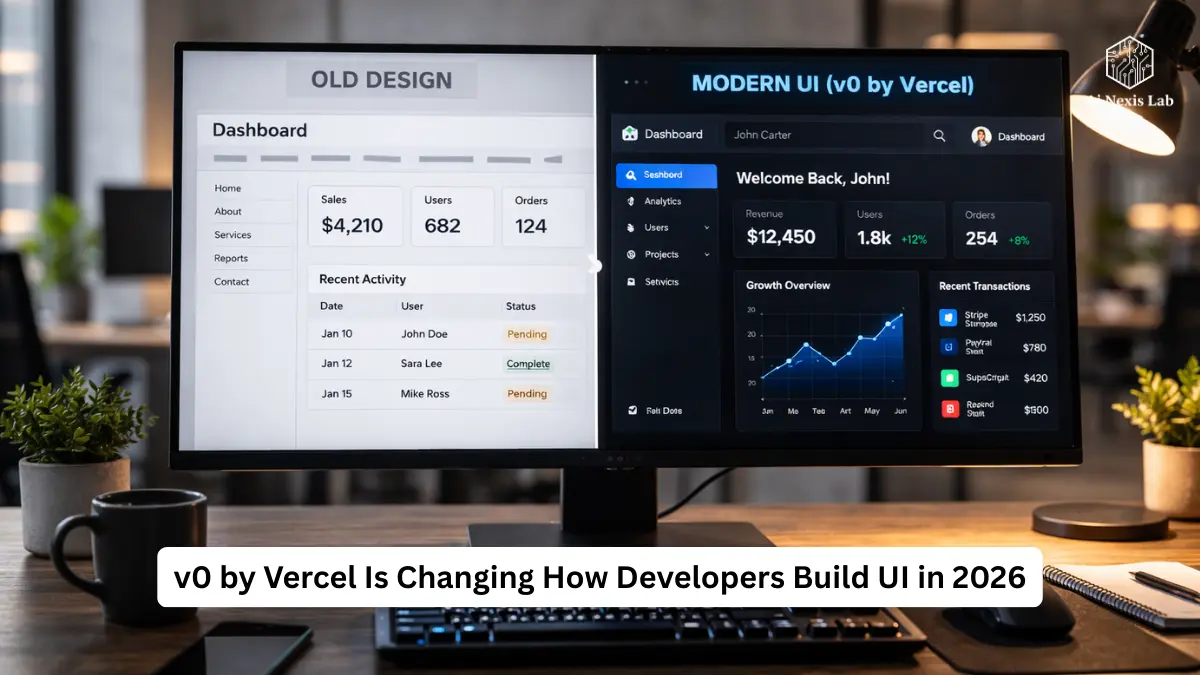
Learn how v0 by Vercel accelerates UI builds with clear strategies developers can use to ship faster, boost quality, and avoid common design pitfalls.
I remember the “blank canvas panic”.
You’ll create a new Next.js repo, look at a pristine /app directory, and realize that the real work wasn’t to build production logic. It was making things look good.
You’ll say to yourself, “I’m an engineer. I ship features.”
But there you were, 90 minutes deep into tweaking padding values because the button looked a little off.
Not broken. Just… off.
And that feeling – that subtle visual inefficiency – slowed down great SaaS ideas more than bad code.
Then Vercel released v0.
Quietly. No over-the-top launch circus. No dramatic keynote. Just a tool that fundamentally changed how modern UIs are made.
This isn’t hype. It’s workflow disruption.
And if you’re still manually stringing together Tailwind classes for each layout variation, you’re willingly working slower than you need to.
Let’s break this down properly.
Table of Contents
The Real Problem: Engineers Never Thought To Draw Pixels
Before v0, building software looked like this:
- Think.
- Sketch.
- Figma mockups.
- Design revisions.
- Dev handoffs.
- Realize that animation isn’t possible.
- Compromise.
- Ship something “close enough.”
That middle layer – mockups and handoffs – was expensive friction.
Even if you were a lone founder doing both roles, you were still context switching between designer brain and engineer brain. And that split focus cost time.
In 2026, momentum matters more than the Polish cycle. The founders who won right now are shipping weekly. Sometimes daily.
The old pipeline doesn’t support that speed.
v0 breaks the pipeline.
You describe the UI. It produces real reaction components. Not screenshots. Not SVG exports. Real production-ready code.
That change is the difference between “motivation” and “deployment.”
The Death of Static Mockups
Let’s be clear:
Figma is not dead. But static-first design workflows are fading.
With v0, you’re building directly within the React + Tailwind + shadcn/ui ecosystem. That’s important because:
- You’re not translating design into code.
- You’re iterating on code from scratch.
- Accessibility and responsiveness are built in.
This is not a pretty-image generator pretending to understand dev workflow.
It outputs components that fit naturally into Next.js app router projects, which will dominate modern SaaS builds in 2026.
That eliminates hours of friction.
Why v0 Works (When Other AI Design Tools Don’t)
Most AI design tools fail for one reason:
They produce aesthetics without engineering constraints.
v0 is trained around real UI primitives and common patterns from the modern React stack.
That means:
- Clean component structure
- Predictable tailwind usage
- Accessible radix-based interactions
- Logical layout hierarchy
The code isn’t perfect every time. But it is readable.
And that’s the difference between a gimmick and a tool.
ROI: Speed, Consistency, and Leverage
1. Velocity
You can generate and refine a hero section in less than a minute.
Not an “idea board.” Real JSX.
If you are building landing pages, admin dashboards, onboarding flows, pricing tables – v0 reduces design time by 70-80% compared to manual CSS builds.
2. Consistency
Because it is built within the shadcn pattern, spacing, typography, and layout proportions are generally aligned with modern SaaS aesthetics.
You are not estimating the margin scale.
3. Code Ownership
Once you pull a component into your project, it’s yours.
No runtime dependencies on AI APIs. No lock-in licensing traps.
You own the files.
Setting Up Your Workflow: From Prompt to Production
If you’re using v0 like a toy, you’ll get toy results.
You need a framework.
CCC Framework: Context – Component – Constraint
Do not type:
“Create a dashboard.”
That’s lazy notation.
Instead of:
Context: “Premium AI Analytics Platform for Hedge Funds.”
Component: “Sidebar navigation with nested items and account dropdown.”
Constraint: “Dark theme, muted accent colors, subtle glass effect.”
Now you are directing, not guessing.
This framing dramatically improves results because the model understands tone and industry context.
Pulling Code Into Your Project
Once you generate something solid, you use the CLI:
npx v0 add [component-id]This does more than copy-paste.
It:
- Adds the required dependencies
- Places the files correctly
- Integrates with your existing Tailwind configuration
This works for real teams because of that level of integration.
Mastering The Iteration Loop
The first generation is rarely perfect.
There is power in communication.
You don’t edit raw CSS right away. You refine by prompt:
- “Increase vertical spacing between cards.”
- “Make the Pro Plan visually dominant.”
- “Use soft shadows.”
- “Convert the sidebar to collapsible for mobile.”
v0 keeps version history. You can go back.
It changes the safety net behavior. You experiment more aggressively because the rollback is immediate.
Creativity increases when risk decreases.
Design Systems and Brand Identity
The fear with AI design tools is similarity.
Yes – if you prompt vaguely, everything will look like a typical startup SaaS.
But if you feed v0 your design tokens, it adapts.
Include:
- Hex codes
- Font preferences
- Border radius scale
- Shadow intensity
- Animation preferences
For example:
“Use custom brand colors #0E1A2B and #4F8CFF. Primary font is Geist. Border radius 12px.”
Now you are managing the aesthetic.
Glassmorphism, Brutalism, Minimalism – Yes, It Can Do It
You just have to be specific.
For glassmorphism:
- “Use backdrop-blur-md”
- “Semi-transparent white cards”
- “0.5px borders”
- “Soft ambient shadow”
For brutality:
- “Hard black borders”
- “No border radius”
- “High-contrast typography”
You are not limited by the tool. You are limited by clarity.

Accessibility and Responsiveness: Hidden Power
This is where most developers underestimate v0.
It is built on Radix UI primitives, which means:
- Keyboard navigation works.
- ARIA attributes are usually included.
- Focus states are not ignored.
- Responsive breakpoints follow the tailwind convention.
Is it flawless? No.
But it’s better than what most solo founders would implement manually under deadline pressure.
That is a harsh truth.
Real-World Use Case: 2-Hour SaaS Landing Page
Let’s break down a real build timeline:
| Step | Task | Time |
|---|---|---|
| 1 | Generate Hero | 10 mins |
| 2 | Refine layout + copy | 15 mins |
| 3 | Features grid | 20 mins |
| 4 | Pull into Next.js | 5 mins |
| 5 | Hook up form backend | 40 mins |
| 6 | Deploy on Vercel | 30 mins |
Less than two hours.
Without v0, hover interactions alone would have eaten up half of that time.
That’s leverage.
Common Pitfalls (And How to Avoid Looking Amateurish)
1. Over-Component Trap
Sometimes it outputs everything to one file.
Improvement:
“Refactor into reusable small components.”
Be clear.
2. Logical Hallucinations
v0 is UI-centric. He is not your backend architect.
Don’t blindly trust it for Stripe billing logic or complex state machines.
You still need to exercise engineering judgment.
3. Placeholder Assets
It uses placeholder images.
You have to change them intentionally.
Otherwise your production site screams “template”.
The Future of Designers in a v0 World
Is This Killing UI Designers?
No.
It’s killing pixel pushers.
Value shifts to:
- UX Architecture
- Conversion Optimization
- Information Hierarchy
- Brand Storytelling
A person who understands human behavior will always be ahead of a person who only understands spacing systems.
If anything, designers learning v0 become 10 times faster.
People who ignore it become expensive.
How to Turn This Guide Into a Traffic Engine Techniques to Attract Readers
If you are writing about v0 and want traffic:
1. Before and After Visual Proof
Show:
- Default Bootstrap Layout
- A Pure v0-Generated Layout
People trust visuals.
2. Offer a Prompt Library
Create downloadable PDFs:
- Fintech Dark Mode Prompt
- SaaS Onboarding Prompt
- Minimal Portfolio Prompt
- E-Commerce Product Page Prompt
Search intent around “best v0 prompt” is increasing in 2026.
Capture it.
3. Write Debug Content
High-Purpose Queries Win SEO:
Answer that, and you’ll attract builders – not browsers.
Frequently Asked Questions
Is v0 free to use?
There is a free tier with monthly generation credits. That’s enough for experiments and small projects.
If you are producing dozens of components every day, you will quickly reach limits. Paid plans unlock high usage and private workspaces.
If you are producing commercially and shipping weekly, budget for a paid tier. It’s still cheaper than paying an hourly rate at a design agency.
Can I use it outside of React?
Technically, yes – practically, not ideal.
v0 is optimized for the React + Next.js ecosystem. Extracting raw HTML/CSS works, but you lose:
1) Component structure
2) State integration
3) Radix accessibility primitives
If you’re building in Vue or Svelte, expect friction.
Does it generate backend logic?
No.
It may scaffold the UI state, but it won’t architect your database.
Think of it as a frontend accelerator – not a full-stack replacement.
If you try to use it as one, you’ll be debugging misleading logic.
Can I integrate custom designed tokens?
Yes.
You can provide:
1) Tailwind config
2) CSS variables
3) Brand palettes
The better your input, the better the output.
Garbage prompt still produces a generic layout.
Who owns the generated code?
You do.
Once it’s in your repo, it’s yours to modify and deploy.
There are no output royalties or usage locks.
That ownership model is important for commercial trust.
Final Verdict: Valuable or Overrated?
It is valuable.
Not because it’s magical.
Because it eliminates friction.
In 2026, speed up the combinations. The faster you test ideas, the faster you will find product-market fit.
v0 reduces the distance between:
“I have an idea”
and
“It is alive.”
If you’re still habitually manually styling each section, you’re operating on outdated leverage.
Stop drawing pixels.
Start building products.