The Death of the “Search” and the Birth of “Research”: Why Perplexity AI is your new secret weapon
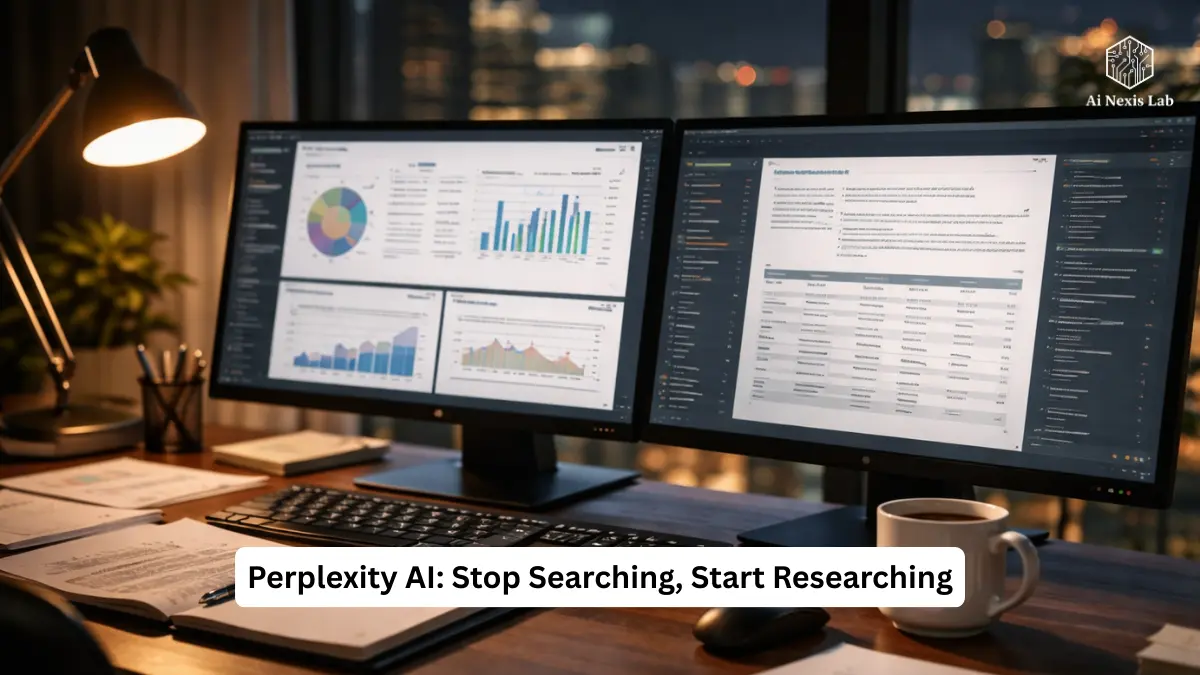
I’ll be clear: if you still treat “search” as a ritual of opening ten tabs and crossing your fingers – hoping that one link isn’t a thin SEO salad, you’re wasting time. That practice was from the last decade. The modern problem is not to find anything – it is to find what is important and to know how reliable it is. That’s where Perplexity stops being an AI curiosity and starts being a workflow.
Below is a long, practical, brutally honest guide – structured exactly in the way you outlined earlier – that turns Perplexity from an innovation into an iterative research practice. I’ll explain the features, show you how to deploy them to real projects, fact-check and update key claims for 2025-2026, and give you an FAQ with real, verifiable data and links so you can verify each claim yourself.
Quick direction: Perplexity is not a replacement for every tool. It excels at quickly synthesizing authoritative, cited answers. It is weaker in freeform creativity compared to a pure writing LLM, and there are trade-offs you must be aware of. I’ll call them out when they’re important.
Table of Contents
Key Takeaways
Perplexity is an “answer engine” that pulls from the live web and produces concise, cited, structured answers. Its strengths: fast synthesis, inline references, searchable workspaces (spaces), file ingestion for private data comparisons, and focus modes that let you target academic, social, or writing contexts.
The biggest benefits come when you build processes around it: use Spaces for projects, Focus for source quality, Deep Research for multi-step market or technical analysis, and File Connectors for organizational knowledge. But: it’s not infallible, sometimes misses paid sources, can misinterpret subtleties on specific topics, and advanced features are gated behind paid tiers. Confirm the most important outputs yourself. Official product pages and help documents are linked in the FAQ.
Part 1 – Beyond Chatbots: Why Perplexity is an “Answer Engine”
If ChatGPT is a creative writer and Google is a vast index of documents, Perplexity sits between them – an engine designed to answer questions by citing sources in real time. It is engineered as a research assistant that fattens up answers with primary sources rather than thin summaries taken from SEO-optimized pages.
What Perplexity does differently, in simple terms:
- Live web access + synthesis. It pulls from the live web – not static cutoffs – and synthesizes responses with numbered citations. You get a compact answer and specific sources behind each claim. That’s research hygiene, not magic.
- Designed for verification. Instead of burying the source trail, Perplexity gives you a source bar and an inline list. You can jump from summary to evidence in two clicks. It’s the difference between believing a claim and validating it.
- Modes tuned for purpose. Rather than being suitable for a single generation, Perplexity offers focus or mode options (academic, social, writing) so that the engine biases its retrieval and synthesis according to the type of answer you want. Use the right mode – you’ll get a very different quality for research versus rumor hunting.
Why the “answer engine” metaphor is important: Previous generative tools were optimized for language fluency; this one is optimized for truth-finding speed. It transforms specific workflows (competitive intelligence, rapid literature reviews, policy analysis) from multi-day scavenger hunts into one or two disciplined sessions.
Anatomy of a Pro-Level Perplexity Response
When used properly, perplexity searches return a compact “knowledge architecture”. Here’s the anatomy – and how to use each part like a pro:
- Answer (brief): First paragraph – short, targeted. If it doesn’t answer your question, you’re using the wrong prompt. Good prompts + focus provide immediate clarity.
- References (numbered): Each load-bearing statement has numbered references. Click on the number and inspect the primary source. Treat these as your primary verification points.
- Source Bar / Source Drawer: A visual list of domains used. Click “See More” – Often deeper insights reside in sources that the summary doesn’t prioritize. Pro tip: Inspect a variety of domains (academic journals, government PDFs, company filings) to determine the breadth of coverage.
- Follow-up suggestions: Confusion suggests what to ask next; don’t ignore them. They’re a map to the research fork you might have missed.
Internal rule: Always open the top 3-5 referenced sources for any high-stakes claim. Confusion speeds up discovery; it doesn’t replace reading.
Part 2 – Mastering the “Focus” Modes: Cut Out the Noise
The least used lever in Perplexity is Focus. The default “everything” is fine when you want breadth, but pro research requires discipline.
Focus Palette (What to use and when)
- Academic: Limits retrieval to peer-reviewed journals, arXiv, Semantic Scholar, PubMed, and government reports. Use this for science, medicine, and literature reviews. It reduces noise from blogs and the press.
- Social: Targets social platforms (Reddit, X/Twitter), forums, and community signals. Use when you want user sentiment, bug reports, or emerging issues. Don’t trust it for facts without support.
- Writing: Privileges the model’s internal logic and generation functionality over live web retrieval – useful for polishing drafts, doing creative work, or when you don’t want to explicitly influence web output. It’s not a research mode.
- Web / Default / Internal Knowledge: The engine uses external sources to adjust against internal logic. For many practical tasks, toggling between academic and web is power.
Practical Focus Recipes
- Quick Fact-Check (2-5 minutes): Start with “Web” to get an overview; switch to “academic” for any scientific claims.
- User sentiment on a product update (10-20 minutes): Run a social focus, then cross-check the top issues by searching the official release notes or company forums (use the source bar).
- Regulation or policy research: Use academic + government (where possible) to avoid opinion pieces.
Hard truth: Focus modes don’t make weak sources disappear; they bias retrieval. Always check the origin (authority, date, paywall status).
Part 3 – Deep Research: The 10-Minute Market Analyzer (and its Limitations)
In late 2025, Complication solidified a “deep research” workflow that is really useful for multi-step tasks. It’s not an oracle; it’s a process. When you enable Research Mode, Perplexity performs multiple sub-queries, retrieves dataset pieces, and synthesizes across sources rather than providing one short answer.
It matters because most serious questions are a combination of: market size + competitors + technology stack + regulatory context. Deep research combines those steps into a single thinking session.
Example: Market Analysis for AI-Powered Vertical Farming
You could spend days doing this manually. Deep Research narrows it down:
Prompt example (what to paste into Perplexity):
“Conduct a comprehensive market analysis of the AI-powered vertical farming industry. Include 2025 revenue figures for the top five players, a SWOT analysis for the industry, and a table comparing the sensor technology used by AeroFarms vs Bowery. Provide references.”
What Perplexity will do (in practice):
- Pull recent revenue figures from company filings, press releases, and market research reports.
- Cross-reference patents and technical documents to determine sensor stacks used by specific companies.
- Summarize the competitive position (SWOT) using recent news and analyst commentary.
- Create a comparative table with sources for each cell, not just a vague paragraph.
This workflow turns multi-day intelligence work into a disciplined session – if you validate the vital statistics. (Don’t take revenue figures at face value; always check the original filings or audited reports.)
When Deep Research Fails or Misleads
- Paywalled Research. Confusion cannot read paywalled ownership reports unless the content is duplicated elsewhere. If your topic, for example, relies on a Gartner report, you will need to obtain the report separately.
- Specific patents and obscure datasets. Patent language is dense; Confusion can summarize but sometimes misses the boundaries of subtle claims. Inspect the patent directly.
- Obscure company names or mergers. If two companies have similar names or recent M&A activity, deep research can confuse the figures. Always check the company registry or the SEC (or regional equivalent).
- Time-period data. Some of the “2025 revenue” figures stated in the press release may reflect a different fiscal calendar. Verify dates and fiscal periods.
Practical checklist for deep research output: Verify the top 3 statistics, open primary sources for each, and cross-check contradictions.
Part 4 – Organizing Knowledge with “Spaces” and “Collections”
The real productivity multiplier isn’t a single answer: it’s the way you store, recall, and reuse knowledge. Perplexity’s Spaces (formerly Collections) are dedicated workspaces that connect research threads, notes, and custom instructions to projects. Think of a Space as a lab bench.
Create a Research “Brain” – A Template
Suppose you are writing a policy brief on Renewable Energy Policy 2026.
- Create a space: “Green Policy 2026.” Turn on collaborative sharing if you’re with a team.
- Set custom instructions for that space: “Prioritize government PDFs and academic journals; format data into tables; create an executive summary of 150-200 words.” This continues for each thread in that Space. It saves you from having to prompt repeatedly.
- Create sub-threads: “Regulatory Landscape,” “Incentives and Finance,” “Technology Adoption,” a separate thread for each for a clean context. Don’t jam everything into one thread – threads get clogged and performance suffers.
- Attach files (reports, whitepapers) to spaces so future queries can reference them. This is where spaces plus file ingestion become a true knowledge base.
Common mistake: People create a single sprawling thread and lose context. The space keeps modularity and makes handoffs to teammates much easier.
Part 5 – File Ingestion: Talking to Your Data (and Keeping It Private)
Paraplexity Pro and Enterprise tiers support file uploads (PDF, DOCX, CSV, images) and file connectors to cloud storage for enterprise knowledge discovery. It’s that feature that turns the tool from a public research assistant into a private one that can compare your data to the web.
Pro file moves with ingestion
- Cross-reference private and public data. Upload your Q3 earnings PDF and ask: “Compare our R&D spending on page 12 to the industry average for 2025.” Perplexity will read your PDF and search for industry numbers on the web, synthesizing the two. That’s gold for analyst workflows.
- Ask the engine to extract tables. Perplexity will parse tabular data into a machine-readable format. Export and reuse are possible in Pro/Max plans.
- File connectors for teams. Connectors unlock search across Google Drive, SharePoint, etc., enabling enterprise knowledge search without copying files. Great for legal, HR, and product teams.
Security and Privacy Notes (Do Not Skip This)
- The files you upload are used to answer your query in the thread; Enterprise connectors give admins control and security options, but corporate policies must be checked. Do not upload sensitive PII or regulated data until you have verified encryption, retention, and policy compliance. Perplexity’s documentation discusses file handling and connector controls – read them before you focus anything.
Part 6 – Labs, Comets, and Ecosystems (2025–2026 Updates)
The perplexity is quickly becoming repetitive. Two ecosystem developments are worth your attention:
- Perplexity Labs and Pro Tier: Labs features and expanded research tools are available to paid users (Pro/Max/Enterprise). Pro increases reference density, file upload frequency, and model access; Max and Enterprise unlock heavy usage and admin features. Pricing tiers changed during 2025–2026 – Pro single-user plans are typically listed at $20/month or $200/year, with higher enterprise tiers available. Check Perplexity’s pricing page for current specifications.
- Comet Browser: Perplexity launches an AI browser (“Comet”) that integrates its assistant directly into the browsing workflow; In late 2025 they made Comet more widely available and positioned it as a competitor to browsers with built-in AI. If your work is web research, Comet’s integration reduces context switching. Read the coverage for more detailed information.
Real-world partnerships: Perplexity partnered with providers in specific markets – for example, the partnership in India offered Perplexity Pro to Airtel customers for the period 2025-2026. These regional deals change quickly; check availability in your market.
Part 7 – Practical Criticism and Trade-Offs (The Hard, Honest Part)
You want to do the good stuff and the dirty laundry. Here’s the unvarnished truth.
What Perplexity does very well
- Quick, cited synthesis. For multi-source answers where you need quick grounding and verification capabilities, it’s best-in-class.
- Project Workflow (Space + Files). The combination of space and file ingestion turns a one-time search into a repeatable search.
- Focus Modes that tune results. Useful when discipline is important – science versus social evidence.
Limitations You Must Accept
- There is no replacement for primary reading. Perplexity accelerates discovery, but you still need to open primary sources for important facts. If a number is legally or financially important, read the original document.
- Paywalls and Data Gaps. If the best sources are behind paywalls (private market research, premium datasets), Perplexity cannot access them unless you upload them. This can skew the output towards freely accessible sources.
- Model and retrieval errors. No system is immune to fallacies or misclassification. Look for mismatches between the summary and the linked source. If a reference doesn’t support a claim, flag it and check the underlying text.
- Cost and multi-tool fatigue. Pro and higher tiers give you more power, but teams often subscribe to multiple specialized tools (a tool for research, another for writing and editing). The cost adds up. Consider where the time changes compared to where you still need other tools.
When not to use Perplexity
- Longform fiction or creative brainstorming where you want unfettered language play. Use a pure LLM like ChatGPT/GPT or Claude.
- Highly sensitive legal or regulatory decisions without human oversight. Use complexity to gather evidence, not to make final decisions.
- Proprietary, paid datasets require functions that you don’t have access to. You’ll lose coverage.
Part 8 – Tactical Playbook: How to Do Research Like a Pro (Step-by-Step)
If you want to be faster than 90% of the analysts in your organization, follow this playbook.
1) Define the deliverable
What exactly are you building? A one-page brief, slide deck, or a 5,000-word report? This determines the depth.
2) Create a space
Create a specific space for the project. Set custom instructions (tone, source prioritization, table formatting).
3) Run a deep research query (with constraints)
Use structured prompts. Example:
“Deep Research: Create a 600-word executive summary of the AI Vertical Farming Market (2023–2025), list the top 5 companies with 2025 revenue figures, include sources; then create a 3-row table comparing sensor stacks (Aerofarms, Bowery) with source links.”
4) Validate the Top 3 Numbers
Open each cited source for the three most important statistical claims: revenue, market size, and growth rate. If from a press release, find the underlying filing or audited report.
5) Expand with targeted follow-ups
If a gap appears, ask Perplexity focused follow-ups, such as: “Show me the patent on ‘optical sensor’ filed by AeroFarms in 2023-2025.” Confirm by opening the patent.
6) Extract and move to your stack
Export tables and quotes to your slide deck or dataset. For teams, attach final output to Space and tag reviewers.
7) Document Decisions
Include a short “Assumptions and Limitations” note in the Space. This saves time for future audits.
Follow this routine, and you’ll leave behind analysts who still treat the web like a scavenger hunt.
Frequently Asked Questions
Q: What is Perplexity’s basic model and how “live” is its web access?
A: Perplexity is an answer engine that uses multiple backing models and live web retrieval to generate responses with inline citations. It is designed to tap the live web for current information rather than relying on a cutoff knowledge base. For more on how it gets citations and how the answers are created, see Perplexity’s “How Does Perplexity Work?” help article.
Q: Can Perplexity read my PDFs and proprietary files?
A: Yes. File uploads (PDF, DOCX, CSV, TXT, images) are supported in threads; Pro and Enterprise tiers add connectors to cloud storage. Perplexity analyzes and indexes documents uploaded to threads and can compare them to public web data. See “File Uploads” in the Help Center.
Q: What are Spaces and how do they help with collaboration?
A: Spaces are dedicated workspaces for organizing research, threads, and file attachments. You can set custom notifications per space for consistent behavior. See “What is a Space?” in the Help Center.
Q: How much does it cost – is there a pro plan?
A: Pricing and tier features change frequently throughout 2025. Perplexity’s public pricing pages list Pro, Max, and Enterprise options; Pro is typically marketed for individuals at around $20/month or $200/year, with higher tiers for heavy or enterprise use. Always check the official pricing page for the latest.
Q: Are there any regional or partner offers I should be aware of?
A: Yes. Perplexity has run regional promotions and partnerships – e.g., a collaboration in India that offers Perplexity Pro to Airtel subscribers for a limited period in 2025-2026. Check local ads for similar offers.
Q: Is it safer to rely on “academic” attention for science/medical questions?
A: Use Academic Focus for peer-reviewed and government sources – it is biased towards retrieval towards high-quality sources. But always read primary literature for clinical or safety decisions. Perplexity’s focus modes guide recovery but are not a substitute for domain expertise.
Q: What is the best workflow for a one-hour market scan?
A: Space → Use the Deep Research prompt → Validate the top 3 numbers through primary sources → Extract tables → Write a 200-word executive summary and assumptions. Save everything in Space. This reflects the strategic playbook above.
Bottom Line – When to Switch from “Search” to “Research”
Stop treating the web like link roulette. If your deliverables require accuracy, traceability, or multi-source synthesis (market analysis, policy memos, literature reviews, competitive intelligence), pivot your workflow:
- Create a space.
- Use focus modes.
- Run deep research.
- Validate top numbers with primary sources.
- Use file ingestion for private data comparison.
- Save and document assumptions.
Confusion won’t replace careful reading or domain experts. But used with discipline, it replaces busywork, reduces verification time by an order of magnitude, and – if you take the verification steps – gives you a secure, auditable research trail. That’s how you stop “searching” and start “researching.”