A “Second Brain” for your entire company: Why NotebookLM can put an end to endless searches for files
Let’s start with an uncomfortable truth that most companies don’t want to admit.
Your most valuable asset may not be your product.
That’s not your marketing strategy.
It’s not even your income.
That’s your organizational knowledge – the vast pile of documents, reports, conversations, and insights your team has built over the years.
The problem?
Much of that knowledge is effectively dead weight.
It lives in Google Drive folders that no one opens. It’s hidden in Slack threads that have disappeared into the archive. It resides in a 70-page PDF someone created during a strategy sprint in 2022 and never touched since.
And when does someone actually need that information?
They don’t get an answer.
They get a link to a folder with 12 versions of “Final_Policy_v3_REALFINAL.docx”.
If you’ve worked in a modern company, you know the drill.
A new employee asks a simple question:
“What is our compensation policy for hybrid work?”
Instead of a clear answer, they get:
- A link to the intranet
- Three old PDF files
- A Slack message from 2023
- And someone says, “I think HR updated that last quarter…”
Meanwhile, leadership is trying to prepare for a board meeting and is spending two hours digging through meeting notes to find an insight someone mentioned six months ago.
This is not a technology problem.
It is a problem of access to knowledge.
Over the years, companies have tried to solve it like this:
- Wikis
- Notion databases
- Document tagging systems
- Knowledge bases
- Shared drives with “better organization”
Most of these solutions failed for one simple reason:
They required humans to maintain them perfectly.
And humans don’t.
Documents become outdated.
Tags become inconsistent.
Folders become junk drawers.
Then came a new series of tools – ones that completely overturned the model.
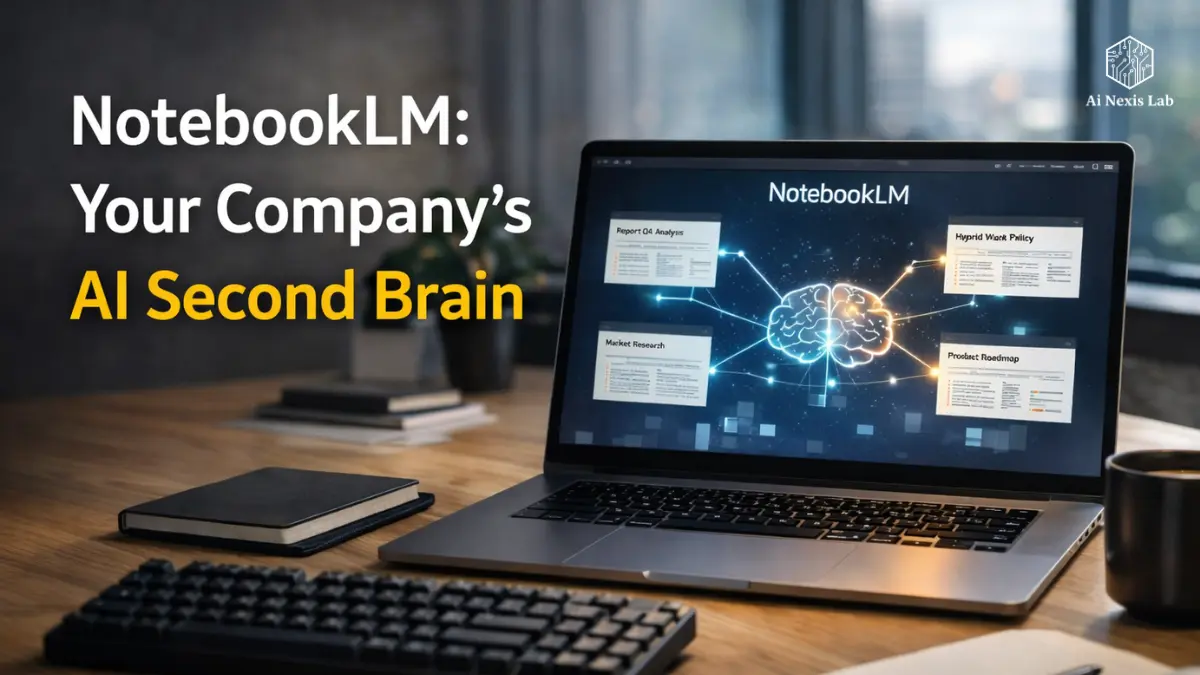
That tool is NotebookLM.
Instead of forcing humans to manually organize knowledge, NotebookLM makes sense of the information itself.
Imagine putting every document your company has in a room that has full memory.
Now imagine that you could ask that person anything about those documents.
They read everything immediately and respond using only the facts they have within them.
No guessing.
No illusions.
No generic AI fluff.
Just knowledge of your company – talking to you.
This is not just another productivity app.
For many teams, it’s the first time their company’s collective intelligence becomes truly useful.
In this in-depth study, we’ll break down exactly how NotebookLM works, why it matters in 2026, and how companies are turning it into a true “second brain” for their organization.
Table of Contents
Grounded Truth: The Power of Source-Based AI
Why Traditional AI Isn’t Safe for Business Knowledge
Most people’s first experience with AI was like ChatGPT.
You are asking a question.
It answers.
It works well for:
- Writing blog posts
- Thinking about ideas
- Explaining general concepts
- Email drafting
But it presents a major problem when used for business information.
General AI models make predictions.
They generate responses based on probabilities learned from the internet.
That means when you ask:
“What were our Q4 estimates last year?”
A typical AI system can give a confident answer – even if it is completely wrong.
In a business environment, this is unacceptable.
Legal teams, HR departments, finance departments, and product teams need verified information, not educated guesses.
There NotebookLM works differently.
What Does “Grounded AI” Really Mean?
NotebookLM runs on a principle called source grounding.
Instead of drawing knowledge from the entire internet, AI is limited to the documents you provide.
Think of it like locking AI in a research library that only contains your company’s data.
In that environment it can:
- Read documents
- Compare information
- Summary insights
- Find patterns in files
- Answer questions about content
But it cannot find facts outside of those sources.
If the answer is not present in the documents, the system simply says:
“I don’t have information about it in the given sources.”
In a business context, it is incredibly valuable.
Because it means you are working with verified knowledge, not generated guesses.
Built-In References: “Show Me The Proof” Feature
One of NotebookLM’s most useful capabilities is automatic references.
Whenever the system answers a question, it includes clickable references that point to the specific section of the document it used.
This means you can instantly check:
- Which document the answer came from
- Which paragraph was referenced
- Whether the interpretation is accurate
Instead of blindly trusting the AI response, you can trace it back directly to the source material.
Think of it like a research assistant that not only answers your question – but also gives you the page number where the information came from.
For teams that work with:
- Compliance
- Legal Documentation
- Policies
- Technical Specifications
This feature alone makes NotebookLM dramatically more reliable than traditional AI tools.
Setting Up Your “Corporate Vault”
Why Dumping Everything in One Place Doesn’t Work
A mistake many teams make when adopting AI knowledge tools is overloading them with unstructured information.
They upload hundreds of files to a system and expect magic to happen.
That approach usually creates chaos.
Instead, the best strategy is to create centralized knowledge vaults.
Each notebook becomes an inclusive knowledge environment around a specific topic.
Think of it like creating specialized libraries instead of a huge warehouse of documents.
A Practical Vault Strategy
A simple way to organize NotebookLM in a company is by department or function.
For example:
The Culture Vault
This notebook contains documents that define how the company operates internally.
Examples include:
- Employee handbooks
- HR policies
- PTO guidelines
- Onboarding documents
- Internal values statements
When employees ask questions like:
“Can contractors cover travel expenses?”
or
“What is a parental leave policy?”
NotebookLM can instantly reference a specific policy document.
Product Vault
This vault focuses on everything related to a company’s products or services.
Typical sources include:
- Technical documentation
- Product roadmaps
- Feature specifications
- User research reports
- Bug reports and feedback summaries
Engineers and product managers might ask questions like:
“What were the top complaints about feature X last quarter?”
Instead of manually reading multiple reports, the system synthesizes insights across all relevant documents.
Strategy Vault
This notebook becomes a leadership research hub.
Common inputs include:
- Board presentations
- Market research reports
- Competitor analysis
- Investor updates
- Quarterly strategy documents
Instead of rereading dozens of decks before a leadership meeting, executives can ask questions like:
“What risks did we identify in last year’s market expansion plan?”
AI can find references in multiple documents and summarize them instantly.
Website Ingestion Trick
One of the most underrated features of NotebookLM is the ability to pull content directly from website URLs.
If your company has:
- A help center
- A documentation site
- A public blog
- Developer guides
You can feed those pages directly into Notebook.
Now AI understands every piece of content your company publishes publicly.
For marketing teams, this becomes incredibly powerful.
They might ask questions like:
“Have we already written about AI security in our blog?”
Instead of manually searching for the CMS.

“Deep Dive Podcast”: Making Dense Information Truly Useful
The Feature That Surprised Everyone
When Google introduced NotebookLM’s audio overview, many people initially dismissed it as a gimmick.
This idea seemed strange.
You upload documents.
AI creates a podcast discussing them.
But once teams started using it, something unexpected happened.
It became one of the most practical features in the tool.
Why Audio Works for Knowledge Transfer
The reality is simple.
Most employees don’t have time to read long reports.
Even highly motivated professionals struggle to sit down and read:
- 80-page strategy decks
- Lengthy research reports
- Dense technical papers
But they’ll hear something while:
- Traveling
- Walking the dog
- Driving to a meeting
- Working out
Audio Overview transforms documents into short conversation summaries between two AI hosts.
Instead of reading a 100-page report, employees can absorb key insights in minutes.
Example: Introducing a New Product Feature
Imagine that your company is launching a new software feature.
Internal documents include:
- A technical white paper
- A marketing strategy brief
- Customer feedback analysis
- Internal product notes
You upload these documents to NotebookLM.
Then generate an audio overview.
The result?
A short podcast where two voices discuss:
- Why this feature exists
- What problem does it solve
- How will customers use it
- What teams need to know
Suddenly the whole company understands the feature.
Not because they have read the document – but because they have heard the story behind it.
Transforming Customer Support into a Speed Machine
A Hidden Obstacle in Most Companies
Customer support teams face a brutal reality.
They face questions all day long – but the answers are scattered across dozens of resources.
Support agents often waste a lot of time searching through:
- Knowledge bases
- Old manuals
- Slack messages
- Product documentation
In many companies, the actual workflow looks like this:
The customer asks a question.
The support agent finds the help center.
The answer is not there.
So they send a message to a senior engineer on Slack.
The engineer stops his work to answer.
Multiply that by hundreds of requests per week.
It becomes a huge productivity drain.
How NotebookLM Changes Workflow
By feeding support documents and transcripts into NotebookLM, companies can create a support intelligence hub.
Support agents simply ask the system a question.
Example:
“Why does product version 2.4 fail during export?”
NotebookLM searches through:
- Troubleshooting guides
- Internal engineering notes
- Past support tickets
Then provides a concise answer with references.
Instead of escalating the problem to engineering, the agent can resolve it immediately.
Real-World Impact
Companies testing AI knowledge tools like NotebookLM have reported improvements in:
- Resolution speed
- Agent confidence
- Knowledge consistency
Support teams spend less time searching and more time solving problems.
Meanwhile, engineering teams experience fewer disruptions.
Onboarding Without Being Overwhelmed
Why New Employees Struggle
Starting a new job can feel like being dropped off in a foreign country without a map.
New hires don’t know:
- Internal company terminology
- The historical context behind projects
- Who owns which processes
- Where important documents reside
Even basic questions often seem difficult to ask.
As a result, new employees often spend weeks just figuring out how things work.
Creating an Onboarding Notebook
A dedicated onboarding notebook can dramatically shorten this learning curve.
Typical inputs include:
- Team directories
- Project history summaries
- Internal workflow documentation
- Company acronyms and terminology
- Product architecture specifications
New employees can freely ask questions without worrying about upsetting colleagues.
Examples:
“What does SLA mean in our contracts?”
“Can you summarize the history of Project Phoenix?”
“How does the engineering team handle the release cycle?”
NotebookLM provides immediate answers to these questions using company documents.
Why This Boosts Productivity
Instead of waiting for someone to explain things, new hires can explore knowledge independently.
This creates a low-pressure learning environment.
Employees advance quickly because they have immediate access to organizational knowledge.
For growing companies, this can reduce onboarding time to weeks.
The Death of Meeting Minutes
Meetings Generate Vast Knowledge – That No One Uses
Modern companies generate vast amounts of conversation.
Every meeting includes:
- Decisions
- Discussions
- Insights
- Concerns
- Thoughts
But most of this information disappears soon after the meeting ends.
Even if meetings are recorded, transcripts are rarely used.
They only live in the archives.
Turning Meetings into Searchable Knowledge
By uploading meeting transcripts to NotebookLM, companies can create a searchable memory of their conversations.
Instead of rereading notes, teams can ask questions like:
“What concerns did the design team raise about the mobile interface?”
NotebookLM scans across multiple transcripts and identifies patterns.
Finding Hidden Patterns in Meetings
A powerful use case is identifying recurring problems.
For example:
Prompt:
“In the last four product meetings, what recurring concerns did the design team mention?”
AI can reveal that designers repeatedly expressed concerns about usability that were never addressed.
This type of cross-meeting analysis is almost impossible to do manually.
Strategic Forecasting: Connecting the Dots
Going Beyond Simple Summaries
NotebookLM doesn’t just summarize documents.
When you provide multiple sources, it can identify relationships between them.
For example:
- Market research
- Customer interviews
- Sales data
- Production plans
These sources often contain insights that only become apparent when analyzed together.
Asking Smart Strategic Questions
With enough data in the notebook, leaders can ask deeper questions.
Examples include:
“What feature requests appear most frequently in customer interviews?”
“Which competitors appear most frequently in our strategy documents?”
“Are our product priorities aligned with customer complaints?”
AI analyzes patterns across multiple documents to generate answers.
Why This Is Important For Leadership
Strategic decisions require the ability to quickly understand complex information.
NotebookLM allows leaders to find insights without having to manually read dozens of documents.
Instead of spending hours searching for information, they can focus on interpreting it.
Privacy and the Elephant in the Room
The Biggest Concern for Companies
Whenever AI enters the conversation, a question immediately arises.
“What happens to our data?”
Businesses worry that uploading internal documents could expose sensitive information.
That’s a reasonable concern.
How NotebookLM handles data
According to Google’s published policies, data uploaded to NotebookLM is not used to train public AI models.
This means that:
- Your documents remain inside your notebook
- They are not added to the global training datasets
- Other users cannot access them
However, as with any cloud platform, companies should still follow good security practices.
Smart Data Hygiene Is Still Important
Despite strong privacy protections, organizations should avoid uploading highly sensitive data.
Examples include:
- Passwords
- Social Security Numbers
- Private Credentials
- Confidential Legal Identifiers
NotebookLM is powerful – but good data governance is still essential.
Insider Tip: The Clean Data Rule
AI systems perform best when the underlying data is clean.
If your notebook contains multiple versions of the same document, AI can interpret them as separate sources.
This can cause confusion.
Before uploading files, it’s worth doing a quick data audit.
Delete duplicates.
Remove old drafts.
Keep only the most relevant versions.
Clean inputs lead to clear insights.
Friction-Free Problem Solving Framework
Instead of traditional problem solving, teams can use what we’ll call a nexus method.
Phase 1: Information Audit
Before trying to fix the process, gather information around it.
Upload relevant data such as:
- Support logs
- Meeting transcripts
- Process documentation
Then ask the system:
“Where does friction most often appear in this workflow?”
AI analyzes patterns in sources.
Phase 2: Contextual Bridge
Many organizational problems exist because departments operate in silos.
Marketing engineering may experience problems due to documentation.
Sales may face objections that product teams never see.
NotebookLM can connect these dots.
Ask:
“Is there evidence in these documents that explains why this problem continues to occur?”
Cross-source analysis often reveals hidden relationships.
Phase 3: Simplified Synthesis
Once the AI identifies a potential solution, simplify it.
Ask:
“Explain this solution as if I were a new employee.”
If the explanation becomes overly complex, the underlying process probably needs to be simplified.
Clarity is the goal.
Frequently Asked Questions
Does NotebookLM integrate with Slack or Microsoft Teams?
As of 2026, NotebookLM operates primarily within Google’s ecosystem. Users typically upload files manually, connect Google Docs, or import website content directly into the notebook. While it doesn’t yet have deep native integration with Slack or Microsoft Teams, many teams bridge this gap by using workflow tools like Zapier or internal scripts that export transcripts or documents in NotebookLM-ready formats. Given Google’s rapid AI development cycle, deeper integration with the collaboration platform is widely expected in future updates.
Is there a limit to how much information I can upload?
Yes, NotebookLM currently has limitations to maintain performance and reliability. Each notebook can contain approximately 50 sources, and individual documents can contain millions of words. In practice, this is sufficient for most projects or departmental knowledge bases. For larger organizations, the common approach is to create multiple specialized notebooks rather than trying to store everything in a single notebook.
Can NotebookLM analyze images or handwritten notes?
NotebookLM works best with text-based documents. If an image is embedded in a PDF that includes OCR (optical character recognition), the system can usually successfully interpret the text. However, raw images – such as whiteboard photos, handwritten meeting notes, or diagrams – cannot be interpreted accurately. Converting visual information to structured text before uploading usually yields the best results.
Can multiple team members collaborate on one notebook?
Yes. Notebooks can be shared like Google Docs or Google Drive folders. Teams can collaborate in a shared knowledge environment, ask questions, and explore insights together. This makes NotebookLM especially useful for departments that need shared access to research materials, strategy documents, or technical knowledge. It effectively turns the notebook into a shared intelligence layer for the team.
How is NotebookLM different from Custom GPT?
Custom GPTs and NotebookLM serve different purposes. Custom GPTs typically rely on prompts, instructions, and sometimes external data sources to guide their responses. They can still draw from common sense and generate creative answers. In contrast, NotebookLM focuses entirely on source-based research. It restricts responses to the documents you upload and provides references for each claim. This makes it more reliable for professional research and internal company knowledge.
Final Verdict: Is NotebookLM Worth Promoting?
There is no shortage of AI tools in the business world.
Every week another startup promises to revolutionize productivity.
But NotebookLM feels different.
Rather than changing human thinking, it increases the reach of human knowledge.
It turns scattered information into a living system that employees can interact with.
That means:
- Fewer hours searching for documents
- Fewer errors due to outdated information
- Faster onboarding for new employees
- Better decisions based on real company knowledge
Most importantly, it transforms data from something passive into something active.
Your company’s documents stop being a silent archive.
They become conversation partners.
And once teams experience that change, they rarely want to go back.
If you are keen to take this approach, start small.
Choose a department.
Upload a focused set of documents.
Let the team experiment.
In a few days, you will see something amazing.
People stop asking:
“Where is that file?”
And start asking:
“What insights can we find next?”