GitHub Copilot Review 2025: ShockingPros, Cons & Real Developer Insights

Is GitHub Copilot the upgrade your coding process needs?. Explore the real pros and cons of GitHub Copilot in 2025. Get developer insights, productivity results, hidden drawbacks, and whether Copilot is worth using. If you write code – whether you’re a solo developer studying features, part of a small team racing towards a deadline, or just learning a new language – tools like GitHub Copilot promise to speed things up, reduce tedious work, and even help you learn along the way. But like all powerful tools, the real story is subtle.
We asked engineers (and many more in the larger community) to reflect on Copilot. The result? Yes – it can be a major upgrade for many workflows, but only if you consider it as an accessory, not a replacement. Here’s an in-depth look at the trade-offs, real-world experiences, and things to keep in mind.
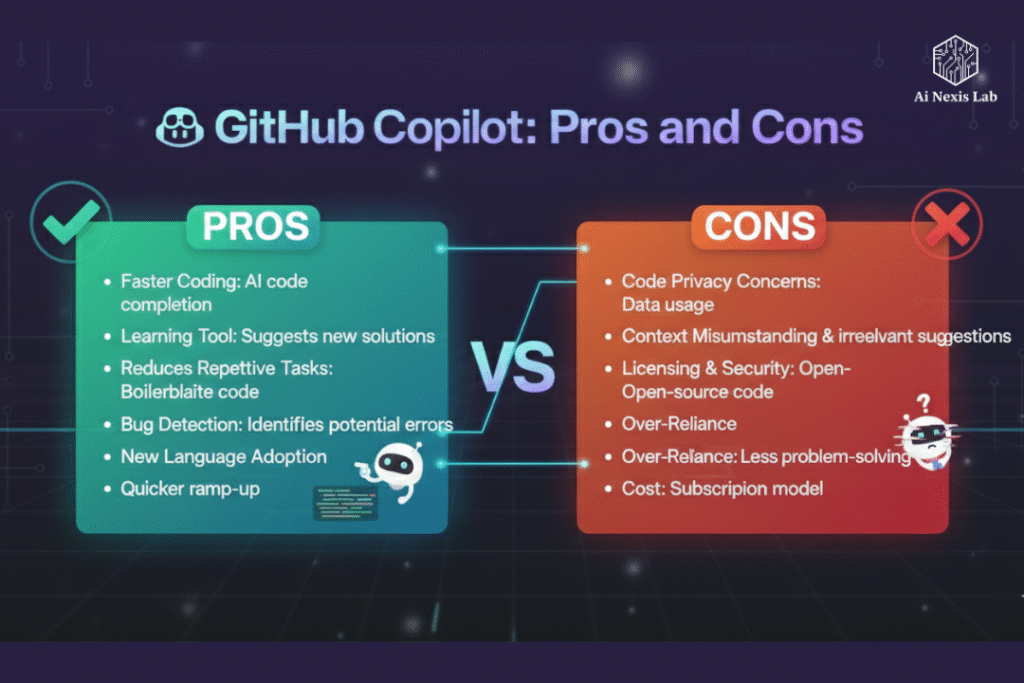
What does a copilot do well – advantages
1. Huge increase in productivity and speed
- Copilot shines at generating boilerplate code – repetitive tasks like setup, configuration, standard tasks – which developers often find tedious. It saves time and mental energy for more interesting work.
- According to research from GitHub, code written with Copilot was 53.2% more likely to pass a set of unit tests than code written without it – showing that it is not only faster, but often correct.
- Developers especially report significant time savings in routine tasks such as data processing, test generation, prototyping, and writing repetitive code.
- It helps reduce context-switching: Instead of leaving the editor to search for documents or search engines, Copilot brings in suggestions and common patterns inline.
2. Supports many languages and frameworks
- Copilot is trained on a large and diverse corpus of public code across multiple languages and stacks – meaning whether you’re working in Python, JavaScript/Node, Ruby, Go, or many other languages, you’re likely to find useful suggestions.
- This versatility is especially helpful in polyglot environments or when changing contexts between projects.
3. Learning, discovery, and guidance on the journey
- For many developers – especially juniors or those exploring new languages/tools – Copilot acts as an instant teacher: it brings to the surface idiomatic code patterns, clean design patterns, and reminds you of syntax or best practices.
- This can speed up the learning process and help teams onboard quickly, especially when working with unfamiliar frameworks or stacks.
4. Improves code quality (in many cases)
- A GitHub-sponsored study found not only more functional code for CoPilot-assisted code but also improvements in readability, maintainability, reliability, and conciseness.
- For small teams or solo developers, CoPilot can act as an extra set of eyes – sometimes pointing out optimizations or standard patterns that might be overlooked in manual coding.
5. Seamless IDE integration and easy workflow
- Copilot works directly in major IDEs/editors (e.g. VS Code, JetBrains IDEs), making it easy to adopt without disrupting existing workflows.
- It helps during rapid prototyping, proof-of-concepts, or when you just want to get ideas out there – allowing you to focus on design, logic, and architecture instead of boilerplate.
Where Copilot Falls Short — The Cons & Caveats
1. Not always reliable – inconsistent suggestions
- While Copilot often gets it right, its output may be suboptimal, incorrect, or unsafe – it does not guarantee that the code will compile, run correctly, or follow best practices.
- In domains that require deep business logic, domain-specific constraints, or multi-file architectures, Copilot may struggle to provide truly relevant or safe suggestions. Empirical studies show limitations, especially in complex, proprietary codebases.
2. Security and vulnerability risks
- A recent empirical study found that a significant portion of Copilot-generated code snippets had security vulnerabilities – issues ranging from poor randomness to potentially exploitable control-flow or injection vulnerabilities.
- Because Copilot focuses on publicly available repositories – which may contain insecure or poorly maintained code – there is a risk of propagating patterns if suggestions are blindly accepted.
3. Risk of skill loss and overdependence
- Developers – especially beginners – can start to lean too heavily on copilot, which can inhibit the development of problem-solving skills and a deeper understanding of the underlying code logic.
- Some users report encountering fewer bugs initially, but gradually lose the joy or challenge of “thinking” about the problem – turning coding into a passive task of accepting suggestions.
4. Licensing, copyright and IP concerns
- Since Copilot is trained on public code (including open-source repositories), there are reasonable concerns that it could produce code that is identical to existing licensed code – which could potentially raise copyright or licensing issues, especially in proprietary or commercial software.
- Companies and legal teams often worry about merging “malicious” code without proper clarity on ownership or compliance.
5. Limited suitability for complex or proprietary codebases
- Empirical analysis shows that the benefits of Copilot diminish when dealing with multi-file systems, complex business logic, or specialized frameworks – especially for languages like C/C++ or older, specialized codebases.
- Furthermore, context-awareness may be limited: the copilot cannot “understand” high-level requirements or side effects, leading to suggestions that seem syntactically correct but logically flawed.
6. Cost, Privacy, and Organizational Competence
- For individual developers or small teams, subscription costs can be a real deciding factor.
- For sensitive or proprietary projects, there are concerns about data leakage or unwanted inclusion of copyrighted code – developers should evaluate this carefully.
What real-world developers are saying — use cases and case studies
Drawing from empirical studies and community reports:
- A 2024 study of real-world projects found that Copilot reduced the time spent on documentation, iterative coding, and testing-related tasks by about 30–50%, especially for code generation, unit tests, debugging, and pair programming.
- Many teams use Copilot selectively – for boilerplate, scaffolding, or prototypes – while reserving critical business logic or security-sensitive parts for manual coding and review.
- In surveys and user reviews, Copilot is often described as “an additional companion, not a substitute”: helpful for speed, but not someone you would trust to finalize important code without human reviews.
- Some developers who relied heavily on Copilot reported that their independent coding confidence and problem-solving declined over time, especially among junior developers – echoing concerns about “skill rust”.
When does a copilot become wise – and when to be cautious?
Good use cases:
- Rapid prototyping, proof of concept, or MVPs
- Generating boilerplate code (classes, configurations, setup, scaffolding)
- Learning new languages, frameworks, or libraries
- Onboarding new developers into the codebase – to quickly familiarize them with patterns
- Writing tests, small utilities, or iterative code where the logic is simple
Situations to be careful of:
- Critical, security-sensitive, or privacy-focused code
- Proprietary or licensed projects with strict compliance requirements
- Code requiring deep domain knowledge or business-specific logic
- Projects with the goal of building developer skills; We want developers to actively think and design – not just accept suggestions.
Frequently Asked Questions (FAQs)
Q1: If Copilot creates code that passes tests more often and improves readability, why worry about security or licensing?
A: Because tests and readability checks cover only a part of what “good code” means. Security vulnerabilities often appear under edge cases or when code interacts with external systems. And licensing issues arise not from code purity but from legal restrictions – AI can reproduce patterns like GPL or other licensed repositories, potentially putting you at IP or compliance risks.
Q2: Will Copilot replace developers or make people redundant?
A: Unlikely – at least for now. Copilot is best interpreted as an “AI pair-programmer,” not a replacement. Its value lies in reducing repetitive work and freeing developers to focus on architecture, design, and business logic. But human oversight is still essential, especially for decisions, reasoning, and security.
Q3: Should beginners stay away from copilots to learn properly?
A: Not necessarily. For beginners, Copilot can be a powerful learning companion – but it’s wise to use it selectively (e.g. peeking at patterns, not blindly accepting everything) and to spend time writing code and reading documentation independently.
Q4: Does Copilot work offline or for proprietary codebases?
A: Copilot is primarily cloud-based (requires internet) and trained on public repositories, which raises valid concerns when used for proprietary or sensitive code. If privacy/compliance is essential, many organizations choose to disable Copilot or rely on strictly verified code reviews.
Conclusion: Copilot — a powerful assistant, not a magic wand
GitHub Copilot can completely upgrade your coding process — especially when you want to move faster, cut down on boilerplate, or get help learning new languages or frameworks. Real engineers see real productivity gains, and empirical studies support improvements in code quality, speed, and readability.
But — and this is important — Copilot still has limitations. It is more reliable in simple, well-spaced situations than in complex, security-sensitive, or business-logic-heavy situations. There are real concerns about licensing, code security, and — critical for developers to hone their craft — the risk of dulling your problem-solving skills.
If you decide to use Copilot, consider it as an aid, not an alternative. Combine it with good practices: code reviews, manual testing, clear architecture thinking, and regular independent coding. When used wisely, Copilot can make your coding process easier, faster, and more enjoyable.
Call to action
Thinking of trying Copilot? Why not run a small experiment – choose a non-critical module, prototype it with a copilot and compare:
- Time spent writing vs. manual coding
- Code readability, maintainability, and bug rate
- Overall developer satisfaction
You’ll be surprised at how much time you get back – or how many angles you need to look at.
If you’d like – I can also help you create a “Copilot Usage Policy” (when to use, when not) for your team. Do you want me to sketch it out for you right now?