Why You’re Failing at Remote Meetings (and 5 AI Tools That Will Actually Make Them Work in 2026)
You know the feeling: Twenty minutes into a remote meeting, someone asks what the next steps are and… you’re blank. You were at the meeting – but you weren’t present. You were dealing with Slack, a half-finished email, and the fear that you would be pinged again as soon as this call ended.
If you’re still manually writing notes or feverishly typing while trying to “stay healthy,” you’re doing it wrong. Not because you are lazy, but because the tools you are using are outdated. In 2026, the basic expectation for AI meeting assistants will be “Can it transcribe?” No – it’s “Can it give me useful action items and insights without my babysitting?”
Let’s be clear: the promise is not that AI will replace human thinking. It’s that AI will handle repetitive, low-value tasks so you can focus on the decisions, nudges, and human logic that really matter.
Here’s how to stop failing in meetings – current AI tools that really help.
What These Tools Actually Do in 2026 (Not What Sales Copy Says)
AI Meeting Assistants Have Gone Past the “Just Record and Transcribe” Phase. They now:
- Transcribe meetings in real time and on demand
This is old news – but the accuracy is changing. Most top tools hover around high-80s to low-90s accuracy in ideal audio conditions. Poor audio still gets results. - Generate summaries with key points
Not perfect, but useful summaries now come automatically after meetings and highlight decisions and action items. - Draw out action items, next steps, decisions, and deadlines.
This is where the value shifts from record-keeping to productivity. But this AI output still needs a quick human sanity check – I’ll cover why in the FAQ. - Integrate with your stack (CRM, Slack, task managers)
This is where automation makes a big impact. If your assistant can drive insights into your work systems, you save hours of manual updating. - Provide searchable libraries of past meetings
You can literally ask “What did they say about pricing in Q1?” Search and get results in seconds instead of digging through notebooks or unorganized recordings.
Real Players and When to Use Them in 2026
Here’s a straight, honest breakdown of what’s useful out there – minus the marketing spin.
1) Fireflies.ai – Automation Workhorse
What it does well:
Fireflies is strong in automation and integration. It can join calls, transcribe, summarize, and push structured notes and action items to tools like Slack, Asana, Trello, Notion, Salesforce, and more.
Why it’s worth it:
If your week is meetings → updating other systems → iterating, Fireflies can handle a large portion of that tedious work for you. It turns conversations into workflow-ready output.
Limitations:
It is not that sharp in deep context. It doesn’t really understand your strategy – it just looks for patterns in what was said. You still need to edit and verify.
Best for:
Teams that live within a tech stack and want to automatically sync meeting data.
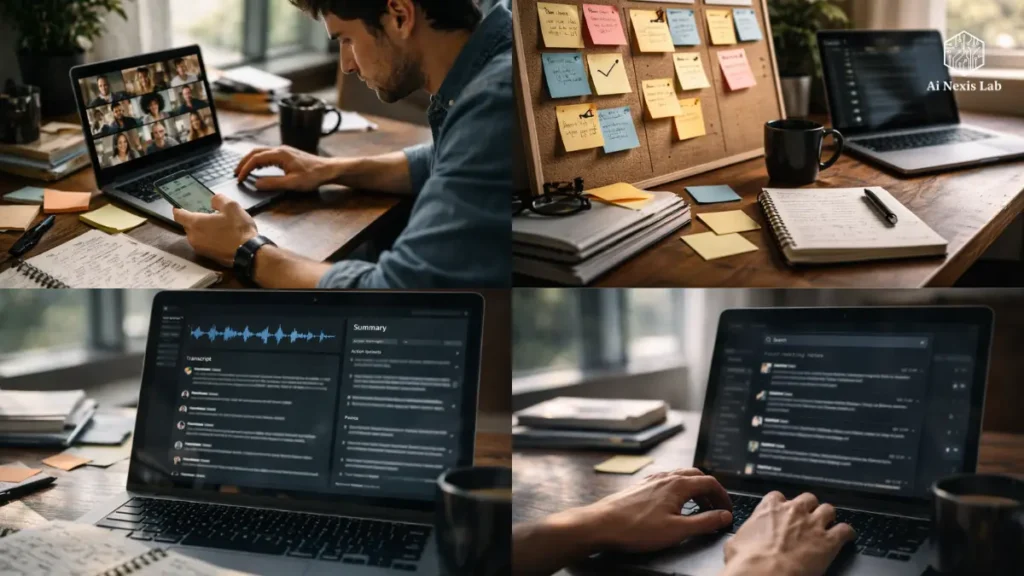
2) Otter.ai – The Real-Time Transcription King
What it does well:
Otter is still at the forefront of real-time transcription with speaker labeling and live summarization. It also has AI chat that lets you ask what was said in plain language.
Why it’s useful:
If staying in the moment is more important than cleaning up notes later, Otter lets you capture while you focus on the discussion.
Limitations:
It is strong in transcripts and summaries, but not as strict when it comes to pushing action items to external systems without scope.
Best for:
Individuals and teams who need accurate, searchable transcripts and real-time engagement tools.
3) Avoma – Revenue and Coaching Tool
What it does well:
Avoma blends meeting summaries with conversation analysis and coaching features. It’s built for sales and CS teams who need insights into conversation quality, objection handling, and deal risk.
Why it’s useful:
Where other tools stop at “what’s said here,” Avoma helps you score and evaluate how it was said – which is huge for coaching.
Limitations:
This expert edge comes at a higher price and a steeper learning curve. It’s not the best choice for general corporate meetings that don’t involve customer conversations.
Best for:
Sales teams, account leads, and coaching managers.
4) Sembly AI – Team-Focused Structured Insights
What it does well:
Sembly focuses on structured outputs – tasks, clusters of discussions over time, and topic tracking in meetings.
Why it’s useful:
If your meetings are part of a flow (multiple calls on the same project throughout the week), Assembly’s clustering and topic analysis bring consistency that you won’t find in tools focused on individual calls.
Limitations:
It is not as robust for sales analysis or personal note details as its peers.
Best for:
Project teams that need cross-meeting tracking and task visibility.
5) MeetGeek and comparable tools – flexible options
Other tools like MeetGeek, Fathom, Jamie, and Granola bring strong niche angles – searchable highlights, zero-bot privacy recording, quotes and clips, or flexible integration models.
None are perfect, and each can be a viable option depending on your workflow – especially if pricing or privacy are a bigger concern than deep analytics or CRM syncing.
Security Reality – Not Marketing Version
Let’s be clear: AI meeting assistants are handling your most sensitive company discussions. You are literally storing conversations, contract terms, brainstorming results, and client signals in someone else’s cloud. If you don’t manage it, it’s a liability.
Here’s what you really need to check before buying:
Use of data training:
Some free tiers may use your data to train future AI models. If your company strategy or client IP is in those conversations, it is unacceptable in most teams. Look for clear “no training” clauses in enterprise plans.
Compliance standards:
SOC 2 Type II, GDPR, and – if you manage health or financial data – HIPAA compliance at enterprise scale is not optional.
Regional Data Hosting:
Depending on your industry (finance, healthcare, government), you may be legally required to host data in specific regions. Make sure the assistant lets you configure that. It’s not fluff – it’s legal compliance.
Transparency for participants:
You cannot legally record meetings without telling everyone in many jurisdictions. Always verbally announce your assistant’s presence at the beginning of each call. This protects your company and builds trust.
The Ugly Truth About Accuracy
Here’s the part no one likes to talk about: If your audio is bad, everything breaks. In 2026, AI tools still choke on poor voice profiles. Result:
- Missing action items
- Incorrect summaries
- Incorrectly attributed quotes
Audio quality predicts more accuracy than the AI model you selected. At this point, a dedicated noise-cancellation layer (like Crisp or built-in mic preprocessing) is not optional – it’s essential if you want a reliable transcript.
How to actually use these tools
Here’s a practical rollout plan that won’t blow up your organization:
1) Start with one team
Don’t go organization-wide. Choose a team with clear meeting pain points and measurable outcomes.
2) Define the purpose first
Do you want a better transcript? Better task tracking? Better sales coaching? Choose the tool that matches that workflow, not the one with the most attractive homepage.
3) Set consent policies
Before you roll it out, draft a clear consent script and send it to participants before the calls. This is compliance, not etiquette.
4) Integrate into your stack
Set up CRM and task-management sync before you start using it seriously. If it just sits in a folder and no one reads it, it’s doomed to failure.
5) Review and organize monthly
Check the outputs, compare them with the actual meeting notes, and keep a short list of errors for monitoring. Make sure you’re not putting blind faith in a technology that still requires human oversight.
Real ROI – Not What Marketers Claim
Seller pages will say “10 hours saved per employee per week.” It’s not impossible, but if you:
- are using poor audio
- are not integrating with workflows
- are not validating output
- and are not training users
Here’s what teams actually see when they do this right:
- Faster action items are captured – no waiting
- Better visibility into who owns what
- A searchable archive of decisions
- Reduced accidental reference loss
The time savings are real – but only if you push process improvements around AI, not just put it on your calendar and hope it does everything for you.
Frequently Asked Questions
Q: Can these devices handle accents and noisy environments?
A: Yes… but the fundamental truth is that all voice-AI tools are only as good as the audio they receive. You will greatly improve the results by pre-processing the audio or using a quality mic.
Q: Will the assistant make people uncomfortable or less obvious?
A: Yes, it can happen. People behave differently when they know they are being recorded. The only ethical way to manage it is with transparency – let participants know it is there and explain how the data will be used.
Q: Can AI meeting assistants replace human note-takers?
A: Absolutely not. They can take notes, but they cannot make decisions, interpret political subtleties, prioritize issues, or decide what action to take. Use AI to get information – use humans to interpret.
Q: What if AI “distracts” a point or action item?
A: This happens. Always put a quick human review step in place before sending meeting output externally. AI should support your workflow, rather than define it.
Q: Are these tools safe for confidential/legal meetings?
A: Not by default. If confidentiality is required, choose an Enterprise plan with SOC 2, GDPR, and appropriate data residency controls, and disable any training usage policies.
Q: Can he cope with face-to-face meetings?
A: Yes – most tools can record in-person interviews through mobile apps or third-party recording setups. But audio quality remains a limitation.
Q: Does integration really work?
A: Yes – when configured properly. A tool that syncs with CRM or task systems is not helpful if it is not mapped to your actual fields and processes. Setup is critical.
Bottom Line: What You Should Do Next
Choose a tool not because it has the best marketing page, but because it removes a measurable bottleneck in your meeting workflow. In 2026, the technology has matured so much that the ROI is in the process improvements around it – not in the tool itself.
If that means Otter for clear transcripts, Firefly for automation, Avoma for sales insights, or Sembely for structured team output – then great. Choose based on use case, not hype.