Ghosts in the Code: Why Your Legacy Software Isn’t Dead (It’s Just Waiting for an AI Brain Transplant)
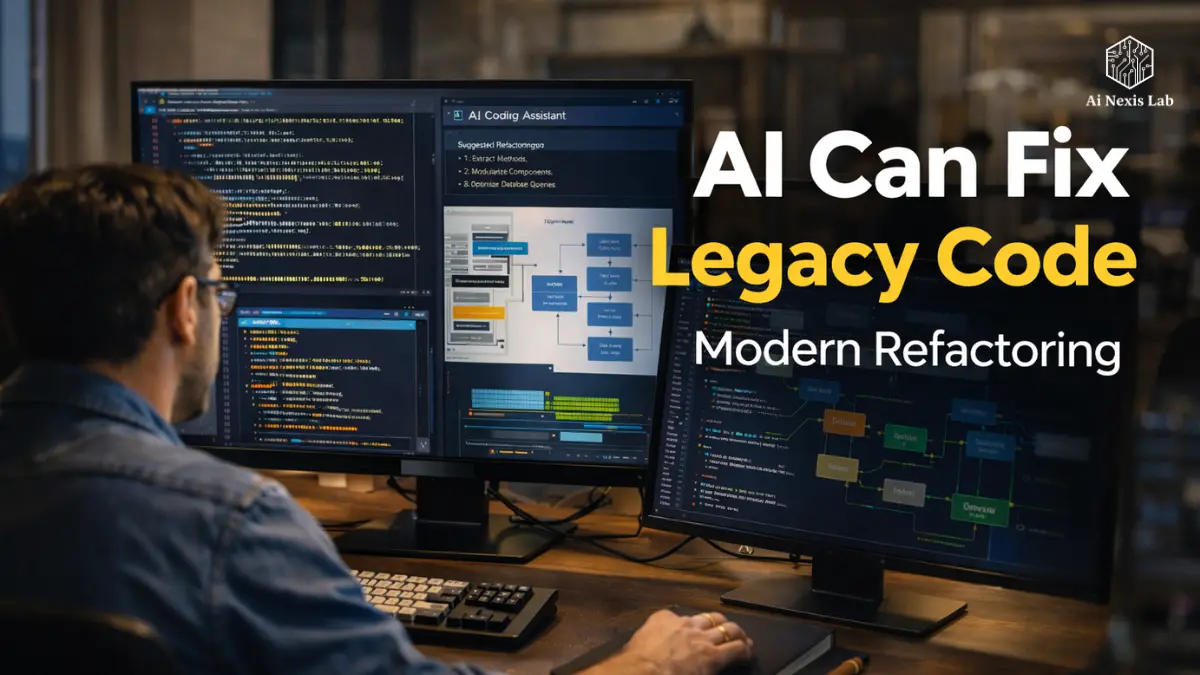
AI legacy code refactoring explained. Discover 9 proven strategies to modernize COBOL, Java, and monolith systems using AI agents, automation, and safe refactoring workflows.
You may have seen it before.
There is always one folder in the repository that no one wants to touch. A folder with a warning label in all caps:
CORE_LOGIC_DO_NOT_TOUCH
It’s probably written in a version of Java that predates the iPhone. Maybe that COBOL code was originally written when people were still faxing production reports.
No one really understands him anymore.
But the business still runs on it.
The problem? Every time someone tries to add a small feature, the system behaves like a 25-year-old truck with a loose engine mount. It runs – barely – but the moment you push it harder, something breaks.
This is what engineers call a legacy trap.
For decades, companies had only one option:
Rip everything out and rebuild from scratch.
Those projects cost millions, take years, and statistically fail more often than they succeed.
But something fundamentally changed between 2023 and 2026.
Big language models, coding copilots, and AI agents have introduced a completely new approach.
Instead of rebuilding legacy systems, we can now translate, refactor, and modernize them using AI as an engineering assistant.
Not in theory.
In practice.
In this guide, we’ll break down a practical blueprint for using AI to transform legacy code into modern, maintainable systems.
This is not about copying the code into ChatGPT and hoping for the best.
It’s about creating a systematic pipeline that transforms technical debt into long-term engineering assets.
Table of Contents
The Archaeology of Tech Date: Mapping the Labyrinth
Before any AI touches your codebase, you need to understand something important.
Legacy code is not just old code.
It is a historical code.
Every task, solution, and odd conditional was written to solve a real business problem at some point.
The original developer may be gone.
Documentation is probably there.
Which means your first task is not to rewrite anything.
Your first task is digital archaeology.
The “Deep Scan” Method
When modern engineering teams approach legacy systems in 2026, the first step is always contextual mapping.
Instead of reading files one by one, you let AI index the entire repository and build a structural understanding of how everything connects.
Tools such as:
- Cursor
- Windsurf
- Sourcegraph Kodi
- Codium Enterprise Copilots
Allow engineers to run deep scans of the codebase.
AI indexes relationships such as:
- Module dependencies
- Function call graphs
- Data flows
- Database interactions
Instead of asking an AI assistant something vague:
“Explain this file.”
Ask questions that reveal the architecture.
Examples:
- Which modules depend on this class?
- What is the complete data flow from API request to database write?
- What functions are defined but never implemented?
- Where is circular dependency occurring?
These questions bring to the surface risk zones in the system.
And they matter.
Because blindly refactoring is how engineers accidentally break production systems.
Why context is your only currency
Large language models don’t understand code like humans do.
They work in a context window.
Even the most powerful coding models in 2026 – including GPT-class systems and cloud-class reasoning models – cannot load the entire enterprise codebase at once.
Large systems can easily exceed 500,000 lines of code.
So the trick is not to feed everything to the AI.
The trick is to organize the system into logical domains.
A typical enterprise breakdown looks like this:
- Authentication Services
- Billing Logic
- Reporting Pipelines
- Data Ingestion
- Customer Workflow Automation
Each domain becomes a refactoring unit.
This approach is often called:
Chunk and Chain Refactoring
You analyze one domain at a time while maintaining awareness of how it interacts with others.
If you skip this step and just tell AI to rewrite the function, you risk creating misleading improvements that break downstream systems.
Context is more important than code.
From “Spaghetti” to “State Machine”: The Great Decoupling
If there is one flaw in legacy systems, it is tight coupling.
Over time, developers added shortcuts.
Functions started calling other functions that they shouldn’t.
Modules started sharing global variables.
Suddenly something funny happens.
Changing the UI layout causes a database timeout.
No one knows why.
But everyone is afraid to touch it.
This is what engineers mean when they describe legacy systems as spaghetti architecture.
Using AI as a Surgical Blade
The biggest mistake developers make with AI is asking it to rewrite the entire system.
That is the wrong approach.
Instead, think of AI as a surgical tool.
Your goal is to extract responsibilities, not to change everything.
Imagine you have a 2,000-line Java class that handles these things:
- Authentication
- Billing
- Logging
- Data validation
- API communication
This violates the most basic engineering principle:
Single Responsibility
Here’s how AI can help.
Step A
Feed the class into a logic-centric model.
Step B
Use the prompts that force structural analysis:
Identify the main responsibilities of this class and propose a strategy to break them into independent services, following modern software design patterns.
Step C
Let AI generate skeleton implementations using modern patterns such as:
- Dependency Injection
- Service Layers
- Event-Driven Architecture
Now instead of one huge class, you get multiple services.
Each with a clear purpose.
Each testable.
Each replaceable.
“Sidecar” Strategy
Sometimes the smartest decision is to not touch legacy code at all.
Yes, indeed.
Many companies are now using sidecar architecture.
Instead of rewriting a legacy module, you put a modern interface layer around it.
Think of it like a translation adapter.
The old code remains untouched.
But a new service translates modern API requests into the language of legacy systems.
AI tools can generate these adapters quickly.
The result?
Your modern services communicate with legacy systems through clean REST or GraphQL APIs.
The legacy system becomes a black box backend.
You modernize the architecture without risking destructive rewrites.
Automated Archaeologist: Generating Documentation for the Unknown
One of the most painful parts of a legacy system is not having the code.
That is a lack of understanding.
You will see things with variable names like:
x_final_coord_v2_new_latestWhy is it multiplied by 0.42?
No one knows.
The original developer left the company in 2014.
This is where AI becomes incredibly useful.
Rubber Duck Prompting Technique
Developers often use rubber ducks to explain problems to clarify their thinking.
AI can play that role – but in a better way.
Instead of asking:
“What does this code do?”
Ask something deeper:
Explain the purpose behind this code as if you were briefing a senior software architect who is unfamiliar with the language but understands system design.
This forces the model to focus not only on what it does, but also on why the logic exists.
Once the AI understands the logic, you can ask it to automatically generate documentation.
Typical output includes:
Repository Documentation
High-level architectural explanations written in Markdown.
Inline Documentation
Docstrings or JSDoc comments are embedded directly into the code.
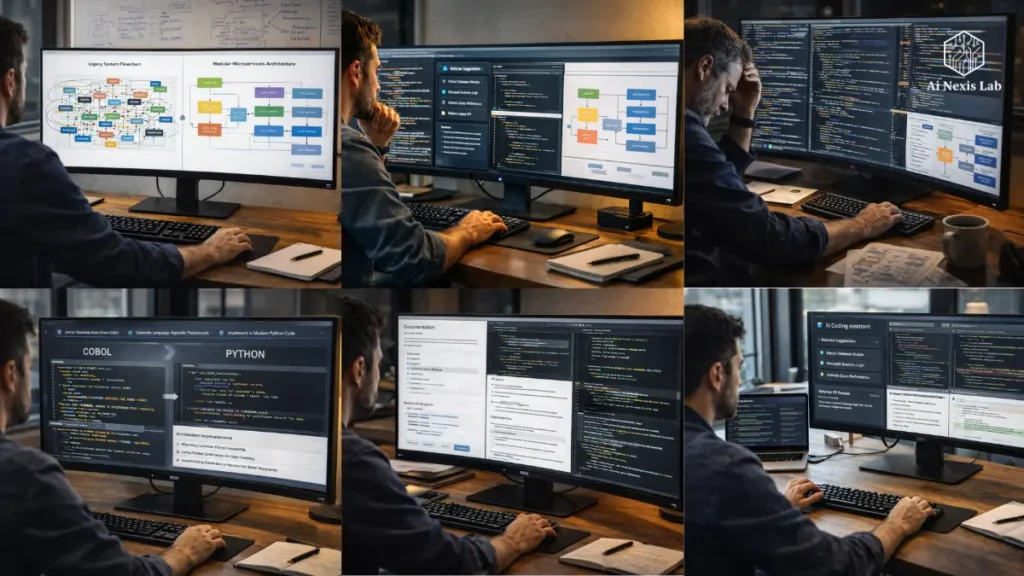
Visual Diagram
Flowcharts using Mermaid.js showing:
- Request Flow
- Data Transformation
- Error Handling Path
Suddenly, a previously mysterious system becomes understandable.
Insider Tip: Deception Check
AI explanations aren’t always correct.
You need a verification method.
Here’s a simple trick used by many engineering teams.
After explaining the AI code, ask it to:
Generate ten unit tests to test the logic described above.
Then run those tests against the original codebase.
If the tests pass, the AI understood the logic correctly.
If they fail, the AI misunderstands something.
This is an easy way to spot misleading explanations before making dangerous changes.
Language Translation: Moving from COBOL or Java 6 to Python or Go
One of the biggest modernization goals for many companies is language migration.
Older systems often run on languages that few engineers know today.
Examples include:
- COBOL
- Old Java versions
- Visual Basic
- Legacy C#
These languages are not bad.
But it’s becoming difficult to hire engineers who want to work with them.
The Transpilation Trap
A common mistake is to try to automatically translate code line by line.
This gives terrible results.
Bad Java becomes bad Python.
Bad COBOL becomes bad Go.
Instead, the correct approach is logic extraction.
Step 1 — Extract business rules
Ask AI to identify the rules within the legacy function.
Example:
- Price Calculations
- Tax Rules
- Discount Logic
- Validation Conditions
Step 2 — Convert to Language-Neutral Pseudocode
This separates the business logic from the original programming language.
Step 3 — Reimplementation in the new language
Now ask the AI to write clean code in the target language using modern best practices.
For example, a Go implementation might include:
- Goroutines for concurrency
- Explicit error handling
- Lightweight microservices
This approach preserves business logic while removing language baggage.
Security Hardening: Finding 10-Year-Old Vulnerabilities
Legacy systems were written in a different security era.
At the time:
- SQL injection was not widely understood
- Encryption libraries were weak
- Credential storage was often patchy
Which meant that older systems often had serious vulnerabilities.
AI-powered security auditing
Modern AI models are very good at detecting security issues.
You can run a prompt like this:
Analyze this module for vulnerabilities from the OWASP Top 10 list. Focus specifically on injection risks, insecure cryptography, and insecure input handling.
AI can highlight issues such as:
- Unsanitary user inputs
- Deprecated encryption algorithms
- Hardcoded API keys
- Insecure authentication flows
Better yet, AI can generate secure replacements using modern libraries.
This refactoring turns the project into something more valuable:
Security upgrades.
And security upgrades are much easier to justify to leadership.
Testing the Untestable: Shadow Deployment Method
Refactoring legacy code is scary.
Not because it’s hard to write new code.
But because no one really knows how the old system behaves in every edge case.
That’s where something called characterization testing comes in.
Building a Safety Net with AI
Before changing anything, you use AI to generate tests that describe the current behavior of the system.
Even if that behavior includes mistakes.
The workflow looks like this:
- Feed legacy modules to AI.
- Ask it to generate unit tests describing the current behavior.
- Run tests against the existing system.
- Lock that test as a baseline specification.
Now when you rewrite the code, you run the same tests.
If the results match, the system behaves the same way.
This protects you from the regression monster.
Performance Boost: Trimming the Digital Fat
Legacy systems often have inefficient algorithms.
Some were written when:
- CPU cycles were expensive
- RAM was limited
- Distributed systems were rare
That means modern hardware can run smarter solutions.
AI as a Performance Optimizer
AI can analyze loops and algorithms to suggest improvements.
Example prompt:
Analyze this loop and determine whether a more efficient algorithm or data structure exists for Python 3.12.
AI can suggest improvements such as:
- Generators instead of loading the entire list
- Vectorized operations using NumPy
- Caching strategies
- Parallel processing
It is not uncommon for optimized code to run 5-10× faster after refactoring.
The Human Element: Training Your Team for the AI Transition
The technical side of modernization is straightforward compared to the cultural change.
Senior engineers sometimes feel threatened by AI tools.
They spent years mastering syntax and patterns.
Now an AI can generate the same code in seconds.
But that doesn’t mean developers are obsolete.
That means their role is evolving.
Co-Pilot Mentality
Modern engineering teams treat AI like a junior developer who works very quickly but needs supervision.
Human developers become:
Editor-in-Chief.
Instead of writing boilerplate code, developers focus on:
- System architecture
- Code review
- Testing strategies
- Security validation
The skill set shifts from typing code to testing systems.
It’s a really high-value role.
Specific Problem-Solving Frameworks for Legacy Logic
To truly modernize legacy systems, teams often implement specific strategies that go beyond traditional refactoring.
Digital Twin Protocol
Instead of modifying production code, engineers create a replica system in a sandbox environment.
AI helps recreate logic in modern code.
Then both systems run together.
Live production traffic flows through both.
If the output consistently matches for a defined period of time – often 30 days – then the new system replaces the old system.
This dramatically reduces deployment risk.
De-Layering Audit
Legacy systems accumulate years of defensive programming.
The developers added improvements in addition to fixes.
AI can analyze the system and identify layers that are no longer necessary.
Often 80% of protective codes protect against situations that no longer exist.
Removing these layers dramatically simplifies the architecture.
Linguistic Bridge Strategy
Some companies still run large-scale COBOL backends.
Instead of immediately rewriting them, AI creates a bridge layer.
For example:
COBOL business logic → translated into TypeScript interface.
This allows modern frontend teams to interact with legacy systems without having to learn an old language.
It buys time when modernization happens slowly.
Common Pitfalls: Mistakes That Kill Refactoring Projects
Even with AI, modernization projects fail when teams make predictable mistakes.
The Big Bang Rewrite
Attempting to change the entire system at once almost always ends in disaster.
Modernization should be increasing.
Ignoring the Data Layer
The code is simple.
Databases are hard.
If you modernize the application but leave behind a messy legacy schema, problems will persist.
Lazy Prompting
AI generates results based on the quality of your suggestions.
Unclear prompts produce ambiguous code.
Detailed constraints produce better results.
Frequently Asked Questions
Can AI really understand languages like COBOL or Fortran?
Surprisingly, yes – at least at a structural level. Modern language models were trained on vast public code repositories, including decades-old legacy systems. While they may not be perfect translators for ambiguous edge cases, they are very good at recognizing patterns such as loops, financial calculations, batch processing flows, and database interactions. AI doesn’t need to “love” language – it just needs to understand the logical patterns behind it. In practice, teams often use AI to first convert legacy code into pseudocode, then recreate the logic in modern languages.
Is it safe to upload proprietary code to an AI model?
This depends entirely on how AI is used. Public web interfaces typically send data to external servers, which many companies consider a security risk. Enterprise AI platforms solve this problem by offering zero-data-retention policies, private API environments, or self-hosted models running within the company’s infrastructure. By 2026, many organizations will run private coding models on internal servers or in secure cloud environments. The safest approach is always to use enterprise APIs or on-premise models when working with sensitive intellectual property.
How fast is AI-assisted refactoring compared to manual work?
AI dramatically speeds up certain parts of the process – particularly documentation, code explanation, and first-draft refactoring. Some engineering teams report 70-80% improvement in documentation tasks, while prototype refactoring drafts can be generated 5-10x faster than manual work. However, human review is still required in the verification phase. Engineers must test, validate, and review every AI-generated change. Eliminating repetitive analysis and boilerplate work results in real time savings.
Will AI-generated code be difficult to maintain later?
In many cases, it is actually easy to maintain. When AI is properly instructed, it can adhere to modern engineering standards such as clean architecture, modular design, and strong documentation practices. Legacy code often lacks these qualities because it has evolved organically over many years. The key is to have humans review and implement style guides during the refactoring process. AI creates the first draft, but developers shape the final structure.
What AI tools are leading the way in the coding field in 2026?
Many models have become favorites among engineering teams. Cloud-class reasoning models are often praised for architectural analysis and logic refactoring. GPT-class systems excel at fast code generation and documentation. Meanwhile, open-source coding models like Codelama and DeepSeek-based systems are popular for organizations that need private deployments. Many companies now use multiple models depending on the task – analysis, refactoring, security auditing, or documentation generation.
Final Verdict: The Future of Your Legacy Systems
Legacy software is not a failure.
In many ways, it proves that the system has been delivering real value for years.
If the software wasn’t useful, it would have been deleted a long time ago.
The real challenge is not the age of code.
There is a lack of visibility into how it works.
AI finally gives engineering teams a way to bridge that gap.
Instead of throwing away logic accumulated over decades, developers can translate, document, and modernize it.
The result is not just better code.
It is a good development culture.
Engineers spend less time babysitting old systems and more time building new capabilities – autonomous workflows, intelligent APIs, and AI-powered products.
So the real choice is not between keeping legacy systems or replacing them.
The real choice is whether you let those systems remain technical debt…
or convert them into technical equity.