Tailwind CSS v4: 7 Powerful Reasons to Delete Config in 2025
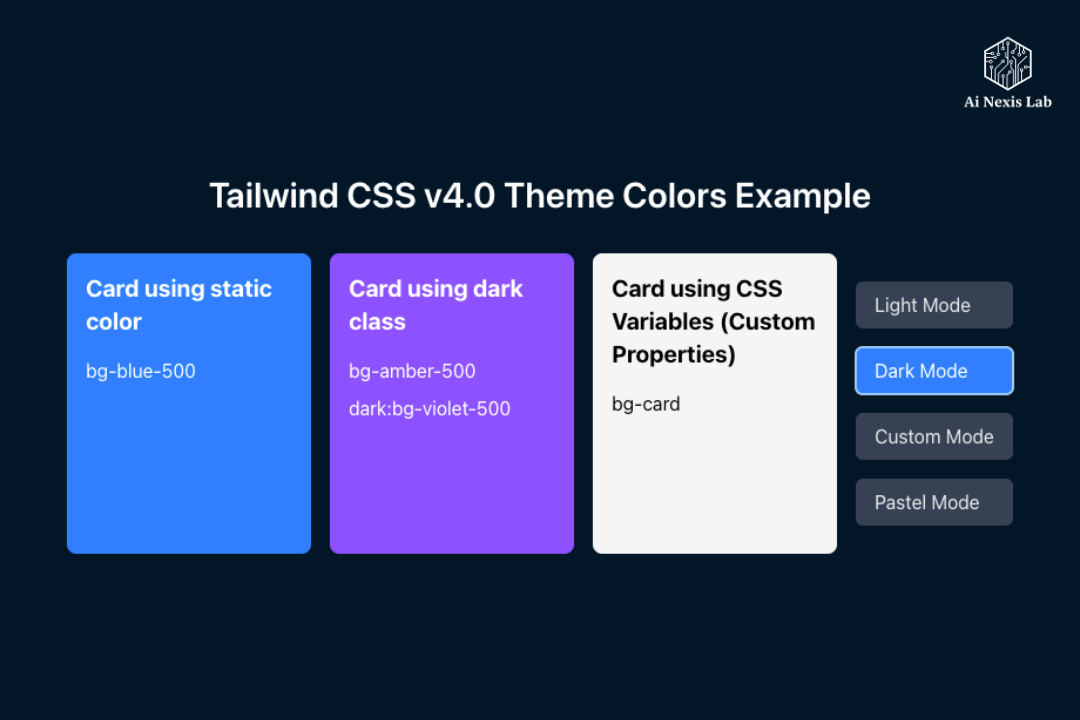
The end of the config era: why Tailwind CSS v4.0 wants you to abandon tailwind.config.js in 2025
Tailwind CSS v4 removes the need for tailwind.config.js. Learn why the CSS-first approach, faster builds, and zero config make v4 a game changer in 2025.
Let’s have an honest moment.
If you’ve worked with Tailwind for a long time, you’ve probably developed a complex relationship with one particular file: tailwind.config.js.
At first, it felt like empowerment. You can define your colors, spacing, fonts, breakpoints – your entire design system – in one place. It gave structure to the chaos. But fast forward a few years later, and that same file often turns into a monster. Hundreds of lines. Nested objects. No one remembers adding old experiments. Comments like “Don’t delete this, that prod will break” without any explanation.
So when Tailwind CSS v4.0 came out with a quiet but radical suggestion – “You probably don’t need this file anymore” – it caught everyone’s attention.
This isn’t a minor refactor. It’s not a cosmetic update. It’s a philosophical shift. Tailwind v4 doesn’t ask you to change how you organize things. It asks you to rethink where the alignment is entirely relevant.
And surprisingly, once you understand what has changed, deleting your config file doesn’t seem scary at all. It feels… relieving.
Why Config Files Existed in the First Place
To understand why this change is important, we need to rewind a little.
When Tailwind first gained popularity, the web platform wasn’t ready for what it wanted to do. Browsers didn’t originally understand utility-based workflows. CSS variables were still gaining traction. Advanced features like layers, nesting, and custom media queries were not widely supported.
So Tailwind did what made sense at the time: it relied on JavaScript.
The tailwind.config.js file became the brain of the system. He told Tailwind:
- What colors exist
- How does the spacing scale work
- Which files to scan for class names
- Which plugins to load
- How to extend or override defaults
It worked – and it worked well. But it came with hidden costs.
Every time you wanted to set something up visually, you had to step out of CSS and into JavaScript. You weren’t styling anymore; You were configuring the compiler. Over time, that reference switch adds friction. Small design changes seemed more cumbersome than necessary.
As CSS evolved, that gap began to seem unnecessary.
Tailwind v4’s big idea: CSS should be the source of truth
Tailwind v4 is based on one core belief: modern CSS is powerful enough to organize itself.
Instead of defining your design tokens inside a JavaScript object, you now define them directly in CSS using variables and the new @theme directive.
Your main CSS file becomes the single source of truth.
@import "tailwindcss";

@theme {
  --font-display: "Satoshi", sans-serif;
  --color-brand-primary: #3b82f6;
  --color-brand-secondary: #10b981;
  --spacing-xl: 4rem;
}
It’s not pseudo-code. It’s real CSS.
With this, Tailwind automatically generates utilities such as:
- bg-brand-primary
- text-brand-secondary
- p-xl
- font-display
No JavaScript. No exports. No theme.extend. Just CSS doing CSS things.
This is the heart of the “CSS-first” philosophy—and it changes the experience of working with Tailwind.
What You’re Actually Gaining by Deleting the Config
At first glance, “delete your config file” seems like a loss of control. In practice, it is the opposite.
1. Fewer mental context switches
Design tokens now live next to your actual styles. When someone on your team asks, “Where is this color defined?”, the answer is simple: the CSS file.
No more hunting through deeply nested objects. Now there’s no need to wonder whether a value remains under extend or is overridden by something upstream.
2. Fast Feedback Loops
Tailwind v4 ships with a new Rust-based engine, internally called Oxide. Because it’s written in Rust, it’s dramatically faster than the old JavaScript-based pipeline.
Changes to your @theme block seem almost immediate. You change the value, save the file, and see the update immediately – often without a complete rebuild.
Performance is not just a technical improvement here. It directly impacts how enjoyable development feels.
3. Automated Content Discovery
Remember this?
content: [
  "./src/**/*.{js,ts,jsx,tsx}",
  "./components/**/*.{js,ts}"
]
And remember how frustrating it was when you forgot to add a new directory and your styles mysteriously didn’t work?
Tailwind v4 eliminates that whole range of problems. The new engine automatically detects where your classes live. No configuration required. No “Why is this class missing?” debugging sessions.
One more thing gone. One less file to babysit.
CSS variables finally feel like first-class citizens
In previous versions, using CSS variables within Tailwind was often difficult. You will have to write a class like this:
<div class="bg-[var(--brand-color)]"></div>It worked, but it didn’t feel clean.
In v4, CSS variables are configuration. Tailwind understands them natively. If a variable exists in your @theme, Tailwind knows how to turn it into the appropriate utilities without hex or bracket syntax.
This makes Tailwind align with the platform instead of fighting it.
Handling global styles the “old” way—but better
One of the biggest questions people ask during migration is:
“Where do my global styles go now?”
The answer is simple – and refreshingly boring: CSS.
Instead of injecting base styles via JavaScript plugins, you define them using layers.
@layer base {
  h1 {
    @apply text-4xl font-bold tracking-tight;
  }

  body {
    @apply text-gray-800 bg-white;
  }
}
This approach is more transparent, more debuggable, and more consistent with how the browser actually works.
It feels less like “framework magic” and more like writing solid, modern CSS.
Custom Utilities Without JavaScript
Tailwind v4 also introduces the @utility directive, which replaces many of the addUtilities developers previously used.
@utility card {
  background-color: white;
  border-radius: 0.75rem;
  padding: 2rem;
  box-shadow: 0 10px 15px -3px rgba(0, 0, 0, 0.1);
}
That’s it. Now you have a reusable card utility—no plugin system, no config files, no JavaScript involved.
This change alone removes entire classes of complexity from older projects.
Migration reality: Is v4 difficult to adopt?
Short answer: It depends on how you used Tailwind before.
If your configuration was mostly like this:
- Colors
- Fonts
- Spacing
- Simple Extensions
The migration is surprisingly easy. You move values to @theme, convert custom utilities to @utility, and delete the config.
You may also want to keep your config file if you rely heavily on JavaScript logic – dynamic color generation, calculations, or API-driven tokens. And that’s okay.
Tailwind v4 is backward compatible. If tailwind.config.js exists, it will still be used. The framework is not forcing you to delete anything. It just makes it clear that you probably don’t need it anymore.
A real-world migration story
During a recent upgrade of the mid-sized SaaS dashboard, the existing Tailwind configuration had evolved organically over the years. Multiple contributors. Lots of “temporary” decisions that became permanent.
The migration looked like this:
- Delete
tailwind.config.js - Move design tokens into a single
@themeblock - Replace custom JS utilities with
@utility - Remove several PostCSS plugins that v4 no longer needs
The results were immediate:
- Build time reduced from ~1.8s to ~0.2s
- CSS bundle size significantly reduced
- Onboarding time improved for new developers
- Design discussions became easier because tokens were visible and clear
Most importantly, the project felt calmer. Less fragile. Less magical.
The Bigger Picture: Tailwind Isn’t Alone Here
This shift is not happening in isolation.
Across the web ecosystem, tools are moving towards less abstraction and more platform:
- Native web components are gaining momentum
- Server-side rendering is making a comeback
- Modern CSS features are replacing entire libraries
Tailwind Labs is also clearly signaling something bigger: frameworks should extend the platform, not replace it.
Tailwind v4 feels less like a framework you learn and more like a compiler that respects CSS as an already powerful language.
Developer Experience in 2025: What It Really Feels Like
Imagine starting a new project today.
You install Tailwind.
You add a line to your CSS file:
@import "tailwindcss";You start building.
No configuration files. No setup worries. No documentation rabbit holes. When you want to change the brand color, you edit the CSS variable. When you want a global style, you write CSS.
Modern developers want this kind of frictionless workflow.
Is there a catch?
There is one adjustment: you need to be comfortable with CSS.
For developers who learned Tailwind before actually learning CSS, this may seem like a step backwards. In fact, it is a step forward.
The skills you sharpen in Tailwind v4 – CSS variables, layers, modern selectors – are portable. It will matter whether Tailwind exists or not.
It is a good trade-off.
Frequently Asked Questions (FAQ)
Q1: Is Tailwind CSS v4 stable enough for production?
Yes. Tailwind v4 is designed for real-world production use and ships with long-term performance and DX improvements. Many teams are already running it in live environments.
Q2: Do I have to delete tailwind.config.js?
No. Tailwind v4 supports config files. The idea is that most projects no longer need it, not that it is prohibited.
Q3: How do plugins work in v4?
Many plugin features are now built-in. For custom behavior, CSS directives like @layer and @utility replace a large percentage of plugin use cases.
Q4: What about IDE support?
The Tailwind VS Code extension fully supports v4, including @theme, CSS variables, and utility discovery.
Q5: Is the performance really that good?
Yes. The Rust-based Oxide engine significantly reduces build time and improves incremental updates even in small projects.
Q6: Can I still use Tailwind with frameworks like Next.js or Vite?
Absolutely. Tailwind v4 works easily with modern frameworks and bundlers.
Q7: Does v4 increase or decrease bundle size?
In most cases, the bundle size is reduced due to better scanning, tree-shaking, and faster compilation.
Q8: Should beginners start with v4?
Definitely. The CSS-first show makes Tailwind easy to understand and closer to the web standards that beginners should learn anyway.
Final thoughts: Less tooling, more web
Tailwind CSS v4.0 doesn’t just tell you to delete a file. It asks you to trust the platform again.
By moving configuration back into CSS, Tailwind becomes simpler, faster, and more authentic. It removes layers that once seemed necessary but now seem outdated.
If your project still requires JavaScript-driven configuration, that door remains open. But for most teams, by and large, v4 offers something even better: clarity.
So go ahead. Open your project. Take one last look at tailwind.config.js.
Then let it go.
The future of styling is lean, fast, and unquestionably CSS—and Tailwind v4 proves that sometimes, progress means taking away more than you add.