Stop Settling for Generic AI: How to Build a Custom GPT That Performs
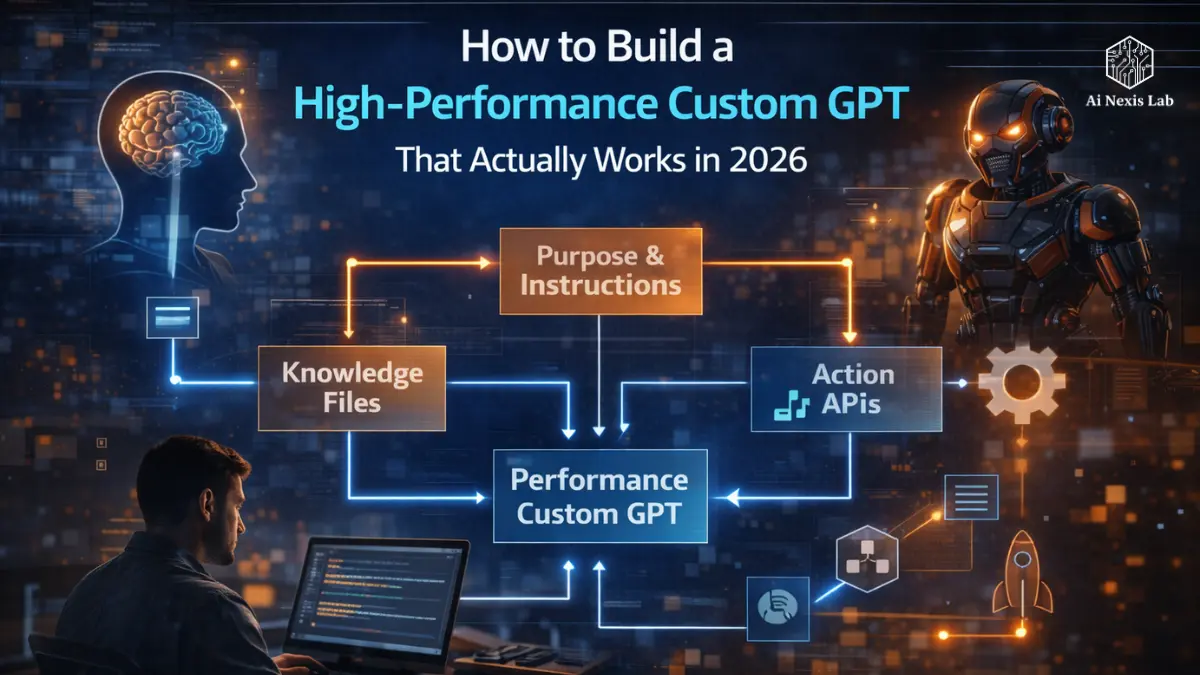
Stop creating “do-everything” GPTs. This is the quickest way to waste your time and get something generic, bloated, and forgettable.
Most people still consider ChatGPT to be like a smart Google. They ask a question, skim the answer, copy-paste what’s useful, and move on. It works – until it doesn’t. At some point, “good enough” becomes friction. AI doesn’t know your brand voice. It doesn’t understand how your spreadsheets are structured. It doesn’t understand that when you say “quick summary,” you mean exactly three bullet points – no introduction, no conclusion, no fluff.
Then you realize something important:
The real power is not in the base model.
It’s in how you shape it.
This guide is not a surface-level overview. We’re going deep – architecture, psychology, repetition, actions, monetization, security, and how to build a custom GPT that actually works in 2026.
And we’re not skipping a single section.
Table of Contents
1. The Psychology of Intent: Why “Normal” is the Enemy
If you take nothing else from this article, take this:
Custom GPT thrives on hindsight.
The biggest mistake people make is creating a “do-everything assistant.” They want him to:
- Write emails
- Analyze spreadsheets
- Plan workouts
- Generate ad copy
- Review code
- Give meeting summaries
That’s not strategy. That’s laziness.
When you create for everyone, you create for no one.
The Problem With General AI”
General-purpose models are designed to be flexible. That flexibility is powerful – but that’s also why they seem inconsistent.
If you don’t define:
- Tone
- Output format
- Boundaries
- Priority
- Knowledge source
AI will have to guess.
And guessing is where the illusion and fluff come in.
Why Niche Will Win in 2026
By 2026, custom GPTs have become the equivalent of niche SaaS tools. Companies aren’t asking, “Can AI do this?” They’re asking, “How can we make this right?”
When you narrow the scope:
- The model has fewer behavioral branches.
- The instruction hierarchy is clear.
- The output becomes predictable.
- The illusion is significantly reduced.
Think about it this way:
You’re not hiring a “business person.”
Whether you hire a CFO, a growth marketer, or a sales ops manager, your GPT should be the same.
2. Navigating the GPT Builder: “Create” vs. “Configure”
When you open the GPT Builder within ChatGPT (Plus, Team, or Enterprise), you’ll see two paths:
- Create
- Configure
Most beginners stay in “Create.” That’s fine – for five minutes.
But if you want something serious, you go to Configure.
Create Tab (Worm-Up)
Create Tab is conversational. You describe what you want. It suggests:
- A name
- Description
- Generated icon
- Basic instructions
It looks magical. It is also unclear.
The builder tends to generate soft instructions such as:
“You are a helpful assistant who provides clear and friendly answers…”
That is not architecture. That’s filler.
Use Create for ideas. Not for the final form.
Configure Tab (where The Actual Systems Are Built)
This is where things get serious.
You control:
- Name
- Description
- Notifications (System Prompts)
- Conversation Starters
- Knowledge Files
- Capabilities
- Actions
- Privacy Settings
If you leave this tab, you are creating a toy.

3. Mastering Notifications: System Prompts Are Everything
The notification area is the soul of your GPT.
If it is unclear, your results will be normal. Every time.
You need a framework. I recommend a framework like this:
R-I-S-E Framework
R – Role
Who is this GPT? Don’t be a “helpful assistant.” Be specific.
“You are a senior B2B growth strategist with 15 years of SaaS experience.”
Specificity narrows down behavior.
I – Input
What type of data will it receive?
“You’ll receive messy Slack exports, CRM notes, and unstructured brainstorming documents.”
Now he expects chaos – and adapts accordingly.
S – Steps
Tell exactly how to process the input.
Example:
- Identify the main themes.
- Extract metrics.
- Highlight risks.
- Present findings in a table.
Don’t assume that the model will reason in your preferred order. Define it.
E – Expectation
What does the final output look like?
- Maximum word count?
- Tone?
- Reading level?
- Format?
- Restricted phrases?
This is where most people fail.
If you want three bullet points, say:
Output exactly three bullet points. No introduction. No closing statement.
If you don’t clarify, then don’t complain.
Example: “Nexus Content Refiner”
Let’s tighten up your previous example.
Instead of:
“You are a Nexus Content Refiner…”
Write this:
- You work as a brand editor.
- Rewrite all text in the active voice.
- Remove clichés.
- Maintain a 6th-8th grade reading level.
- If the word “tapestry” appears, mark it and suggest a modern alternative.
- Keep repetitions within 10% of the original word count.
- Never add persuasive language.
It’s not personality. It’s logic.
4. The Power of Knowledge Files
This feature separates amateurs from professionals.
In 2026, serious operators treat knowledge as a curated database – not a dumping ground.
You can upload:
- PDFs
- .docx files
- CSVs
- Markdown
- Text files
Up to 20 files per GPT (subject to current platform limitations).
What you should upload
- Brand style guidelines
Tone, restricted phrases, formatting rules. - High-Performance Examples
Best Sales Emails. Best performing ad copy. Top blog posts. - Data Models
Structured CSV files for analysis GPT. - Internal SOPs
If it is replacing a repetitive task, upload the process.
Data Bloat Problem
More files ≠ better results.
GPT does not immediately “know” everything inside a file. It retrieves the relevant parts.
If your files are messy:
- Recovery becomes noisy.
- Irrelevant paragraphs are cited.
- Accuracy decreases.
Curate aggressively. Clean up formatting. Clean up headings. Remove outdated information.
Your GPT is only as sharp as its knowledge base.
5. Capabilities: Code Interpreter, Web, Images
Custom GPT in 2026 could enable:
- Web Browsing
- Advanced Data Analysis (Code Interpreter)
- Image Generation
- File Uploads
Don’t turn everything on “just in case”.
Each capability adds behavioral complexity.
If your GPT edits emails, it doesn’t need web access.
If it parses CSV reports, turn on the code interpreter.
Keep it busy.
6. Adding Actions: Turning Thinkers Into Doers
This is where things get interesting.
Actions connect your GPT to an external API.
This means it can:
- Send Slack messages
- Update Google Sheets
- Create CRM entries
- Trigger email sequences
- Log data into Notion
Most people use tools like:
You configure the API schema, connect authentication, and define endpoints.
Now your GPT doesn’t just suggest tasks.
It executes them.
Example: The Lead Tracker GPT
You say:
“New Lead: John Smith, SaaS Founder, is interested in a demo next Tuesday.”
The GPT:
- Extracts fields
- Formats data
- Sends to CRM
- Confirms entries
It is automation layered on intelligence.
It’s leverage.
7. Test, Iterate, and Test Broken Logic
Your first version will be messy. That’s normal.
Professionals don’t aim for perfection on V1. They aim for clarity.
Step 1: Stress Test
Give it:
- Unclear clues
- Conflicting instructions
- Edge cases
See how it behaves.
Step 2: Ask “Why?”
Ask:
“Why did you make this output this way?”
If the explanation doesn’t reference your instructions or knowledge, it’s guessing.
Tighten your system prompts.
Step 3: Add Constraints
If it’s too wordy:
- Set word caps.
- Force bullet points.
- Need tables.
Constraints increase credibility.
8. Creative Use Cases to Spark Your Imagination
If you only think in terms of “chatbots” you are limiting yourself.
Let’s expand.
The Devil’s Advocate GPT
Upload your:
- Business Plan
- Investor Deck
- Product Roadmap
Instruct it to:
- Identify Risks of Failure
- Challenge Assumptions
- Simulate Worst-Case Scenarios
Use it before making big decisions.
Gift Finder GPT
Upload:
- Family interests
- Past gifts
- Budget constraints
Now it generates:
- Unique gift ideas
- Price ranges
- Unique angles
Easy. High Value.
Code Reviewer GPT
Upload:
- Company Coding Standards
- Architecture Guidelines
Paste Code.
It flags:
- Style violations
- Inefficient logic
- Missing documentation
Cheap internal quality control.
9. Privacy and Security: Don’t Be Careless
Just because you can upload data doesn’t mean you should upload everything.
Never Upload:
- Passwords
- API keys
- SSNs
- Bank credentials
- Private encryption content
Use common sense.
Public vs. Private GPTs
When publishing:
- Notifications are not visible to users.
- Knowledge files are not directly accessible.
- But prompt injection is real.
Keep sensitive GPTs private or limited to your team.
Training Settings
In Account Settings, you can toggle whether conversations are used for model improvement.
If you are working with proprietary data:
Turn it off.
Treat the knowledge section like a shared document. Because functionally, that’s what it is.
10. Problem-Solving Techniques That Attract Users
If you want people to use your GPT – or your blog – you need to remove friction.
Here are three high-impact techniques.
1. Reverse Prompting
Take a complete output.
Ask:
“Write the system instructions needed to reproduce this continuously.”
This system dramatically speeds up design.
2. Chain of Verification
Add this instruction:
“Before finalizing the output, cross-check against knowledge files and confirm the alignment.”
It forces internal validation.
The error rate drops significantly.
3. Format Fixer
This may be the most underrated GPT you can create.
It does one thing:
Converts unstructured text into:
- JSON
- Markdown
- Structured tables
- Standardized reports
A tedious problem. High demand. Wide utility.
Frequently Asked Questions
Do I need to know how to code?
No. You need clarity, not code.
If you can clearly explain how the task should be performed, you can create a functional GPT. Coding only becomes relevant when you configure custom API actions. However, tools like Zapier and Make.com remove much of the abstraction from that.
But here’s the truth: clarity is harder than code. Most people fail not because of technical limitations – but because they have never fully defined their workflow.
Can I sell my custom GPT?
Yes.
There is a GPT Store ecosystem where creators can publicly publish tools. Revenue-sharing programs evolved during 2025 and 2026, with monetization based on usage, engagement, and platform policies at the time.
But don’t expect instant passive income. The GPT store is crowded. Usability wins. Novelty fades quickly. If your GPT solves a specific, painful, recurring problem, it has a shot. If it’s another “life coach boat”, it won’t.
How many files can I upload?
Currently, you can upload up to 20 files per GPT, with file size limits (often up to 512MB per file depending on the plan level).
But here’s a smarter question:
Should you upload 20 files?
Probably not.
Tight curation trumps volume every time.
Will other people see my notifications?
No, not directly.
Users interacting with your GPT cannot see your backend system prompts or knowledge files. However, sometimes poorly designed instructions can be guessed through clever prompting.
If your GPT has proprietary logic, keep it private or team-restricted.
Can I use my GPT on mobile?
Yes.
Custom GPTs sync to your OpenAI account and are accessible via iOS, Android, and the web.
However, if your GPT relies heavily on file uploads or advanced formatting, the desktop remains more efficient. Works best for mobile interaction – not for heavy configuration.
Final Verdict
We are no longer in the era of casual prompting.
We are in the era of agent architecture.
The competitive edge in 2026 is not “knowing AI.”
It is defining systems so clearly that AI can implement them.
Technical skills are no longer a barrier.
Instructional clarity is.
If you can:
- Define the task precisely
- Break it down into steps
- Clarify the barriers
- Provide curated knowledge
You can create an advantage that most people won’t.
Your Next Move
Identify one task you do every day that looks like this:
- Busy work
- Repetitive formatting
- Decision fatigue
- Low-level analysis
Now ask:
What is the 20% of this task that I could automate?
Don’t create a masterpiece.
Create a knife.
Then sharpen it.