Git vs GitHub Difference: The Ultimate 10-Minute Guide 2025 Edition
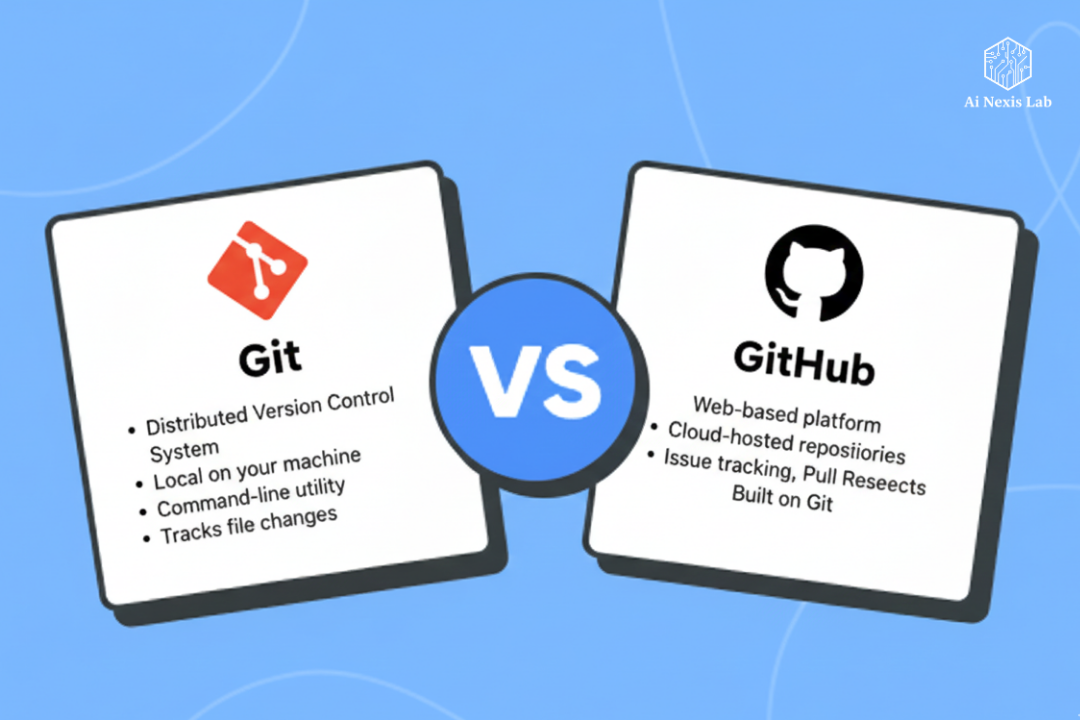
Git vs GitHub: Git is the essential tool, GitHub is the hosting service. Unravel the confusion between them and master the complete version control workflow for collaboration. If you’re getting into software development, data science, or really, any field that touches on code or complex data management, you’ve undoubtedly encountered two names that are used interchangeably: Git and GitHub.
It’s one of the most common points of confusion for beginners, and for good reason. They are fundamentally connected, yet they are completely separate entities. Trying to figure out the difference often feels like trying to understand the difference between a car engine and the garage that houses it. You can’t run a garage, and an engine is useless without a vehicle, but one relies on the other to be effective.
Let’s cut through the jargon and explain it simply: Git is a powerful tool, and GitHub is a collaborative platform.
If we stop the explanation there, it’s only half the story. To truly understand why Git and GitHub have become integral pillars of modern software development, we need to deeply understand what each does, where they operate, and why their combined functionality is much greater than the sum of their parts.
This article will serve as a definitive guide for you to differentiate the two, giving you the clarity and confidence to effectively use both in your development workflow. By the end, you will not only know the difference but also understand the fascinating philosophy behind the technology that makes global code collaboration possible.
Git – the engine of version control
Imagine a digital time machine built specifically for your code. That time machine is Git.
Git is a distributed version control system (DVCS). It is a piece of software, a command-line tool, that you install directly on your local machine.
What is version control, whatever it is?
Before Git, managing different versions of a project was chaotic. You may have seen projects with files named project_final.doc, project_FINAL_v2.doc, and project_FINAL_v2_really_final_trust_me.doc. Version control eliminates this mess.
The primary purpose of Git is simple: to keep track of every change, addition, or deletion made to your project’s files over time.
Here’s why Git is revolutionary:
- History and Reversal: Git allows you to instantly go back to any previous state of your project. Messed up the code today? Revert to yesterday’s working version. It’s like having unlimited “undo” buttons even after months.
- Collaboration (local): Even on your own machine, Git allows you to work on multiple features simultaneously without breaking the main codebase. This is achieved through branching.
- Data Integrity: Git ensures that code history is tamper-proof. It uses sophisticated cryptographic hashing (SHA-1) to generate a unique “fingerprint” for each committed change, ensuring the integrity of your codebase.
Git’s Core Mechanism: Snapshots, Not Diffs
When you use Git, it’s important to understand how it saves your work. Traditional version control systems preserve differences between versions (a “diff”). Git works differently; It takes a complete snapshot of your entire project every time you commit.
Think of commit as a “save game” point. You stage the files you want to save (the staging area is like a prep zone), and when you commit, Git bundles that entire project state, gives it a unique hash, records who made the changes, and adds a helpful message.
Because of this mechanism, developers often describe Git as a Content Addressable System (CAS) – the content itself (your snapshot) is what determines its unique address (the commit hash).
The Local workhorse
One of the most important concepts to understand is that Git is distributed and local.
- Distributed: Every developer working on a Git project has a complete copy of the entire project history (the entire repository, or repo) on their computer. Even if the central server goes down, everyone has a full backup.
- Local: You can stage, commit, branch, and merge code all day long without an internet connection. All the heavy lifting of version control happens inside a .git folder hidden in your project directory. This is why Git is often described as software or a command-line tool – it’s a program that you interact with directly on your terminal.
- Main Git Competitors: Historically, Git’s competitors were centralized systems like Subversion (SVN) and CVS, or other distributed systems like Mercurial. Git won the war due to its speed, efficiency with large projects, and robust branching model.
Git quick facts:
- Identity: A software/program.
- Location: Installed locally on your computer.
- Focus: version control, tracking changes, and code history management.
- Interface: Primarily command-line interface (CLI).
- Creator: Linus Torvalds (yes, the same creator of the Linux kernel) in 2005.
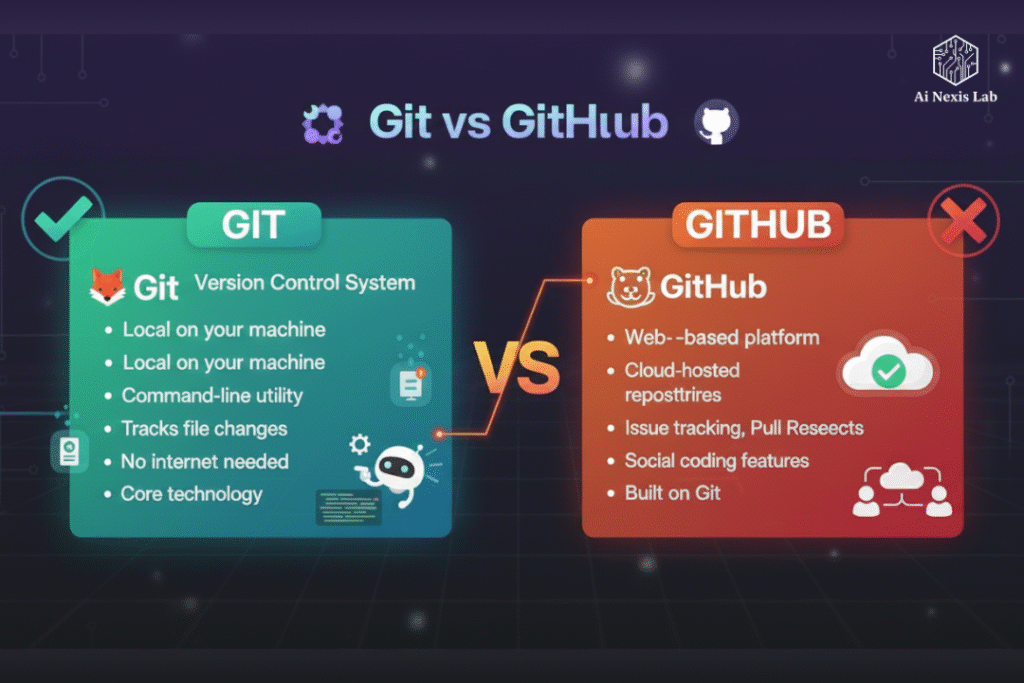
GitHub – The social network for code
If Git is your powerful, locally installed digital time machine, GitHub is the world’s largest, most popular, and most feature-rich cloud-based garage that stores those time machines and lets developers inspect, collaborate, and share them.
GitHub is a web-based service that provides a hosting platform for Git repositories.
More than just storage
While you can use Git without GitHub, once you want to collaborate with a team, back up your work off-site (i.e., in the cloud), or make your code public, you’ll need a remote host. GitHub fulfills this role and adds layers of important functionality on top of Git’s core features.
This is where analogies really help:
| Git is | GitHub is | Why? |
|---|---|---|
| Engine | Garage/Car Dealership | Engine Work, The garage maintains it and provides services. |
| Video | YouTube | YouTube hosts, serves, and organizes videos for a global audience. |
| Protocol (SMTP/POP3) | Gmail/Outlook Gmail is a friendly, feature-rich web platform built on top of the email protocol. |
The power of social coding and collaboration
GitHub is famous for turning version control into a social and collaborative experience, often referred to as “social coding“. It provides a graphical user interface (GUI) that simplifies many complex Git commands and introduces completely new workflows that are not part of core Git:
1. Pull Requests (PRs)
This is perhaps GitHub’s most important innovation. A pull request is a feature that allows a developer to notify their teammates that they have completed a feature or fix and want to merge their branch into the main project.
It’s not just a notification; It is a dedicated discussion and review area. Team members can view changes side-by-side, leave line-by-line comments, suggest edits, and approve or reject merges. The PR process is the basis of code quality assurance in modern software development.
2. Forking
When you want to contribute to a public project that you don’t own, you fork it. Forking creates a completely separate copy of the repository under your own GitHub account. You can then safely clone, make changes, and when you’re ready, submit a pull request back to the original project.
3. Tools and ecosystem
GitHub goes far beyond just hosting. It is a complete ecosystem focused on DevOps workflows:
- Issue Tracking: Built-in tools to log bugs, suggest new features, and manage project tasks.
- GitHub Actions: An integrated continuous integration/continuous deployment (CI/CD) tool that automatically builds, tests, and deploys code when changes are pushed.
- Marketplace and Integrations: An active marketplace to integrate thousands of third-party tools (security scanners, code quality tools, project management software) directly into your repository.
4. The Connection: Push and pull
So, how do Git and GitHub talk to each other? Through two key commands:
- git push: This command is used to take local commits (snapshots) stored in your .git folder and upload them to a remote server, which in this case is GitHub.
- git pull: This command is used to fetch the latest changes from a remote server (GitHub) and merge them into your local repository.
These two commands are the bridge that connects the local, powerful Git engine to the centralized, collaborative GitHub platform.
Main GitHub Competitors: GitHub’s primary competitors are other Git hosting platforms like GitLab, Bitbucket, AWS CodeCommit, and Azure DevOps Server. These services offer similar remote hosting and collaboration tools.
5. Quick facts about GitHub
- Identity: A service/platform (web-based).
- Location: Hosted on the web (cloud).
- Focus: Centralized code hosting, social coding, collaboration, and project management.
- Interface: Graphical User Interface (GUI) mainly in a web browser.
- Ownership: Owned by Microsoft since 2018.
The Definitive Head-to-Head Comparison
To reinforce this distinction, let’s look at the main differences in a structured way, and summarize the key points from our in-depth study.
| Feature | Git | Git Hub |
|---|---|---|
| What is it | A Software (a program) | A service (web platform) |
| Core Function | Version control system (VCS) to track code history. | A hosting service for Git repositories and a collaboration platform. |
| Installation | Must be installed locally on your system. | Hosted on the web (in the cloud); accessible via a browser. |
| Operational State | Functions completely offline (local commits, branches, history). | Requires an internet connection to push, pull, fork, or collaborate. |
| User interface | Primarily a Command-Line Interface (CLI), with minimal GUIs like Git GUI. | Primarily a beautiful, comprehensive Graphical User Interface (GUI). |
| Ownership | Open-source, maintained by the Linux community (Linux Foundation). | Owned and maintained by Microsoft. |
| Key output | A .git directory (a local database of your project’s history). | A Remote repository visible via URL, with additional features like pull requests. |
| Competition | CVS, Subversion, Mercurial. | GitLab, Bitbucket, Azure DevOps. |
The Database confusion
A frequent point of confusion is whether Git or GitHub can be considered a “database”. It’s a fair question because both store data.
- Git is like a database for code: Git is often described as a content addressable system. When it does store data, it is highly optimized for code and source file history, keeping snapshots of your project in a way that is significantly different from traditional relational or NoSQL databases built for data retrieval and manipulation. It is a special database for version history.
- GitHub is not a database (in the traditional sense): GitHub uses a database on its servers to manage metadata – user accounts, ticket issuance, comments, and the structure of the repositories it hosts. It is an application built on top of a database, but its primary function is hosting and collaboration, not serving as a general-purpose data store.
As many experts advise, the simplest solution is this: don’t think too much about database comparison. Git’s job is versioning, and GitHub’s job is to host and socialize that versioning.
The Seamless Symphony – Why You Need Both
In the field of modern development, knowing Git is mandatory, but using a hosting service like GitHub is non-negotiable for professional work. Both systems create a powerful, symbiotic workflow:
1. The Collaborative workflow
Imagine a team of ten developers spread across the world, all working on the same app.
- Local work (Git): Each developer does their daily work on their local machine. They create a new branch, make their changes, and commit repeatedly, capturing their own separate history using Git. They can do this for hours without bothering anyone else.
- Review phase (GitHub): When a feature is complete, the developer uses Git to push their branch to a remote repository on GitHub. Once pushed, they open a pull request. This action moves the workflow from local version control (Git) to web-based social coding (GitHub).
- Integration (GitHub & Git): Team members review code on the GitHub interface. Once approved, the merge is often performed on GitHub’s web interface. Other developers then use Git to pull the newly compiled code from GitHub back to their local machines, updating their copy of the project history.
This Git-GitHub loop ensures a consistent, auditable, and collaborative environment where a single point of failure (such as one developer’s computer) cannot erase the entire project history.
2. The open-source revolution
GitHub is more than a platform; It is the real home of the world’s open-source software. Its robust features – especially pull requests and forking – made it incredibly easy for any developer, anywhere, to suggest changes to the Linux kernel, JavaScript framework, or scientific computing library. This level of accessibility and transparency has fueled an unprecedented explosion in collaborative software development.
Without Git, which provides the underlying mechanism for change tracking and distributed history, GitHub would simply be a file storage website. Without GitHub (or its equivalent), Git would be a powerful but cumbersome tool, requiring developers to manually manage file transfers and server connections.
In short:
- Git is infrastructure. It is the mathematical, cryptographic, and algorithmic foundation that makes version control possible.
- GitHub is the community and application layer. It provides a glossy interface, social tools, automation (CI/CD), and a centralized meeting place that turns code into a global collective effort.
Conclusion: Stop confusing tools and toolboxes
If you take away only one thing from this depth, let it be this:
Git is a distributed version control system – core software installed on your machine that carefully tracks and manages every snapshot of your code history. It is a necessary tool.
GitHub is a cloud-based hosting platform that allows you to remotely store your Git-managed code, collaborate with a global team through features like pull requests, and manage your projects with a rich graphical user interface. It is a necessary service.
You can use Git without GitHub, but you can’t use GitHub without Git.
Mastering Git commands is fundamental to your craft, but taking advantage of GitHub’s collaborative ecosystem is essential to participating in the modern development world. Now that you understand the powerful synergy between Engine and Garage, you can approach both with confidence, ultimately equipped to tackle any project – from a simple local script to a large, internationally developed application.
It’s time to stop worrying about this difference and enjoy the amazing power that comes from their combination. Get coding!