Vibe Coding and AI-Native UI: How the 2026 Web Will Be Built (and Why It Looks Completely Different)

In early 2024, “vibe coding” seemed like a joke.
This was the kind of phrase that was thrown around by developers when someone was clearly letting an AI model do most of the work. “Yeah, I just vibed this feature together last night,” they laughed – half serious, half embarrassed.
But the world moves fast.
By 2026, what started as a meme had quietly turned into the new normal. Not because developers stopped caring – but because tools evolved so quickly that not using them now would be like trying to build a skyscraper with hand tools.
Today, we don’t just rely on AI for autocomplete or doc lookups. We are coordinating entire systems through intent, design “vibes” and interfaces that collaborate with us, rather than just responding to clicks.
And here’s the real change:
The real obstacle to modern development isn’t typing speed – it’s clarity of thought.
If you’re still managing scattered boilerplate by hand, shipping static dashboards, or piecing together brittle backend layers like it’s 2022… you’re already lagging behind teams that work at a completely different pace.
This isn’t hype. It’s the strategy that is reshaping high-performance web applications – and the developers who build them.
Let’s take a look at how it works, what’s changed, and how to adapt.
1. What does “vibe coding” really mean in 2026
This phrase still seems vague.
But the idea behind it is anything but.
Vibe coding isn’t laziness. It’s abstraction – the same kind of leap we took from assembly to high-level languages, then again to frameworks, and now to AI-orchestrated systems.
It’s a shift from asking:
“How do I write this function?”
To asking:
“What outcome am I trying to create?”
In this world, developers aren’t primarily typists. They are the architect, editor, and decision maker – shaping the objectives, constraints, ethics, and business logic.
A compressed development life cycle
The traditional software life cycle – brainstorm → spec → implement → test → iterate – has not disappeared.
It’s just… compressed.
Here’s what a typical flow looks like in an AI-powered environment:
Idea Stage:
You leave a voice note describing a feature. AI agents turn it into a structured PRD, which includes edge cases.
Implementation:
Intelligent IDEs — Cursor, Windsurf, Loveable, and others — don’t just complete lines. They refactor files, reorganize, generate migrations, and automatically configure the architecture. They understand not just the lines you’re writing, but the entire repo.
Debugging (or something similar):
You don’t explain the bug technically. You describe the feeling or behavior.
“The sidebar feels crowded on mobile.”
“This dashboard freezes when users switch filters.”
The AI finds the root cause, proposes fixes, and runs regression checks. Your job becomes recognition and alignment, not manual hunting.
The result:
You can actually move from sketch → prototype → deployed app in under an hour — not by rushing, but because the friction has disappeared.
This is the essence of vibe coding:
Fast objective translation, guided by someone who understands the systems.
2. Goodbye Static UI — Welcome to AI-Native Interfaces
For years, we’ve been obsessed with design systems and reusable components.
Then it made sense.
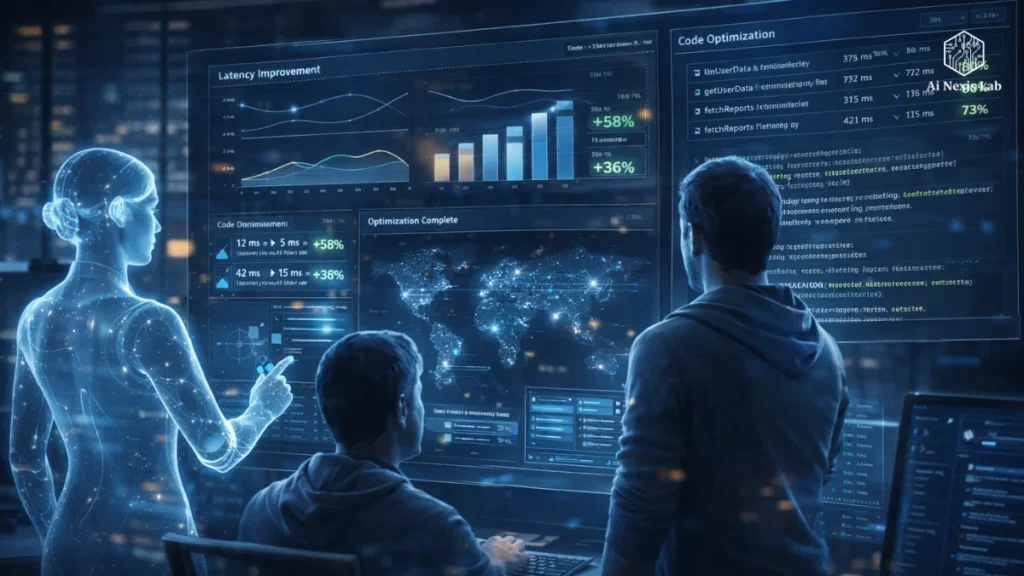
But fixed, one-size-fits-all interfaces are hitting their ceiling. Users expect tools that adapt to context, workflow, roles, and intent – and traditional UI architecture simply can’t do that without drowning in conditioning.
So 2026 brought a different idea:
These interfaces don’t just render elements. They understand what the user is trying to do – and reshape themselves accordingly.
Key Principles Behind AI-Native Design
Let’s break down what makes this change so big.
An interface driven by verbs, not menus
Follows the old UI thinking pattern:
Go here → Open this → Toggle it.
The new pattern is action-first:
“Lock my account while traveling.”
“Summarize the churn drivers from last quarter.”
“Prepare onboarding tasks for five new hires.”
The system finds the way. The user simply expresses intent.
Shared Canvas
The chatbot-in-the-corner UI is fading.
Instead, AI now lives inside the workplace — modifying charts, inserting filters, cleaning data, annotating content in real time. You collaborate with him like another partner who can move things, not just describe them.
Transparent Progression Instead of Spinning Loaders
AI sometimes needs time.
And ambiguity erodes trust.
So the modern interface clearly shows the steps:
“Finding records…”
“Cross-checking discrepancies…”
“Generating reports…”
Users see the way of thinking, and confidence grows.
Real-time personalization at the interface level
Instead of coding separate experiences for each role…
…the UI generates itself differently for a CFO versus a marketer, based on patterns, permissions, and historical actions.
One product. Multiple experiences. No branching spaghetti code.
3. The 2026 Tech Stack: Built for AI, Not Retrofitted Around It
There’s a catch to the coding vibe:
If you don’t anchor it with a strong architecture, it will collapse under scale.
So the “default” stack emerging in 2026 is not random – it is intentionally modular, predictable, and agent-friendly.
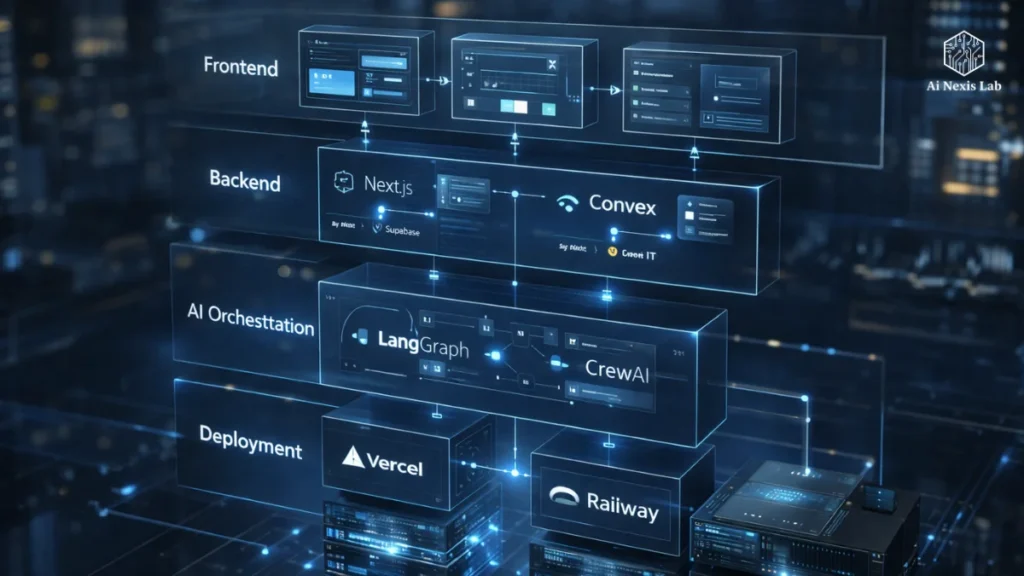
Here’s a general blueprint:
| Layer | Tools | Why it matters |
|---|---|---|
| Frontend | Next.js + Tailwind | Fast rendering, flexible patterns, AI-friendly styling workflow |
| Backend | Supabase / Convex | Built-in auth, RLS, real-time sync, minimal boilerplate |
| AI Orchestration | Langgraph / CrewAI | Multi-agent coordination instead of single-prompt hex |
| IDE | Cursor / Windsurf | Whole-repo awareness and safe automated refactoring |
| Deployment | Vercell / Rails | Easy deployment with monitoring designed for AI workloads |
Solving the “Day 2 Problem”
Shipping is easy.
Maintaining what you’ve shipped is the real challenge.
Historically, auto-generated code meant headaches – messy patterns, duplication, uncertainty about what would happen if you touched anything.
But new systems produce atomic, modular components instead of large blobs. That means future edits don’t ripple through the project in unexpected ways.
Your AI becomes a co-maintainer – not a chaos generator.
4. How AI Agents Silently Boost Application Performance
Previously, performance conversations revolved around bundle sizes, lazy loading, and caching levels.
Everything is still relevant.
But now there is a whole new dimension:
Performance also means expectation.
Edge Inference
Instead of routing everything to large centralized models, smaller specialized models now run in browsers and edge nodes.
The result?
Low latency, fewer round-trips, and experiences that feel immediate rather than “thinking…”
Predictive behavior
AI agents analyze usage patterns and prefetch data before the user asks.
If history shows that they open quarterly reports every Monday morning, the content is already ready when they log in.
Self-healing systems
Slow endpoints don’t just stay slow.
Agents monitor, propose refactors, open pull requests, and suggest schema changes – waiting for your approval before merging.
It’s like having an ever-vigilant junior engineer living within the codebase.
5. Security, Governance and the New Human Role
Rapid construction means rapid risk.
So security tooling evolved too – and it’s woven directly into the workflow rather than bolted on at the end.
Auto-scanning becomes the default
Generated code is scanned before deployment for things like:
- XSS exposure
- Hidden leaks
- Injection attacks
- Insecure permissions
You don’t have to “remember” to do it – it’s built in.
Compliance as Configuration
Especially in Europe and regulated spaces, devices now ship with ready-made compliance modes:
- Data retention rules
- Model transparency logs
- Consent auditing
Power them up, configure them, ship them securely.
Seniors evolve from “producers” to “validators”
This is perhaps the biggest cultural shift.
Senior developers can no longer win by writing the most code.
They win by asking the right questions:
- Is this product consistent with the truth?
- Does it introduce unnecessary risk?
- Is this really solving the right problem?
Their roles are strategy, ethics, architecture, and review.
This craftsmanship didn’t disappear – it came down to the level.
The competitive edge is advancing
By 2026, the playing field had changed.
The most valuable developers are no longer lexicons of syntax. They are orchestrators – people who can think clearly about systems, communicate intent, and collaborate effectively with AI.
The speed comes from the vibe coding.
The joy comes from the AI-native UI.
And the long-term benefits come from teams that recognize that:
- Natural language will become the dominant interface for software.
- The UI will evolve from static pages to collaborative canvases.
- Our primary task is to shift from the how to the why.
The future of the web won’t just be written in code.
It will be shaped by conversation, intention, repetition – and yes, a lot of vibe.
FAQ: Common Questions About Vibe Coding and AI-Native Web Apps
Q1: Does Vibe Coding Make Developers Replaceable?
No — it makes low-leverage tasks replaceable.
Someone still needs to understand the architecture, trade-offs, ethics, product fit, and security. AI enhances talent; It is not a substitute for thoughtful leadership.
Q2: Are AI-native UIs just “fancy chatbots”?
Absolutely not.
Chatbots talk about actions. AI-native UIs do them visually, contextually, and collaboratively.
Q3: Wouldn’t AI-generated code become impossible to maintain?
That used to be the case. Today, tools produce structured, atomic, test-friendly modules. Maintenance becomes really easy – if you implement good patterns.
Q4: Can small teams realistically adopt this workflow?
Yes – in fact, small teams benefit the most. AI eliminates busywork and allows two people to do what once required ten.
Q5: What skills should developers focus on now?
1) Systems thinking
2) Product strategy
3) Agile design and agent collaboration
4) Security and data governance
5) UX empathy
Those skills won’t go out of fashion.
Q6: Are fully AI-built apps safe to trust?
They are only as safe as the review process behind them. Human validation remains essential – especially for logic, compliance, and edge cases that AI can gloss over.